
How to Choose an AI Receptionist for Your Dental Office
How to choose an AI receptionist for your dental office. Covers dental training, PMS integration, HIPAA compliance, and a 22-point vendor evaluation checklist.
Share:
Table of contents
Choosing an AI receptionist for a dental office isn't the same as choosing a generic call assistant. Dental practices deal with appointment scheduling, insurance questions, after-hours calls, and anxious patients. All of that requires dental-specific workflows, not off-the-shelf automation.
This guide walks you through how to choose the right AI receptionist for your dental office, what features actually matter, and a practical checklist to compare vendors before you commit. According to research published in Dental Economics, 72% of dental practices reported difficulty maintaining consistent phone coverage during peak clinical hours, making structured evaluation criteria more important than ever.
QUICK STATS: The AI Dental Receptionist Opportunity
- 67% of missed dental calls happen during lunch, peak clinical, or after-hours windows (source: DentiVoice internal data)
- 3 out of 5 patients who call and don't reach a live person will not call back, according to Dental Economics
- $200, $400 average revenue per new patient appointment, the direct cost of a missed call
- 80%+ of inbound dental calls are routine requests that AI can handle without staff involvement
What Is an AI Receptionist for a Dental Office
An AI receptionist for a dental office answers inbound calls using artificial intelligence. It responds to common patient questions, captures caller intent, and routes or logs information in your practice workflow. Unlike static phone menus or answering services, it understands natural language and responds conversationally.
In dental practices, this typically means handling appointment inquiries, office hours questions, insurance-related prompts, and overflow during busy periods. The core difference from a standard virtual receptionist is domain-specific training: dental AI systems are built around dental terminology, appointment types, and care urgency, not generic call scripts.
Studies show that 62% of dental office calls go unanswered or are placed on hold for more than 90 seconds, according to BrightLocal local business research. For a deeper look at how dental phone coverage works end-to-end, including the tradeoffs between in-house staff, outsourced services, and AI, the coverage guide breaks it down by practice type and volume.
Why Dental Offices Need a Specialized AI Receptionist
Dental offices need a purpose-built AI receptionist because generic call automation fails to understand dental terminology, appointment urgency, and the escalation sensitivity of patient calls. Front desk operations directly affect both patient experience and practice revenue, and a system not trained on dental workflows creates more problems than it solves.
Most dental practices can't consistently answer phones during peak clinical hours. Staffing constraints, patient check-ins, and constant multitasking make it impossible. Calls get missed. Follow-ups slip.
The right AI receptionist addresses specific operational gaps:
- High inbound call volume during clinical hours
- Repetitive patient questions that consume staff time
- After-hours coverage without increasing payroll
- Inconsistent call documentation and missed follow-ups
For both single-location and multi-location practices, these problems get worse when front desk teams are stretched across in-person check-ins and phone coverage at the same time. Research published in Dental Economics found that missed dental calls cost practices an average of $30,000, $50,000 annually in lost appointment revenue, most of it invisible because unanswered calls leave no trace in the schedule.
How Does a Dental AI Receptionist Actually Work?
A dental AI receptionist uses voice AI and natural language processing to handle inbound phone calls autonomously. It listens to the caller, identifies intent, asks clarifying questions when needed, and either resolves the call or routes it to staff, all in real time.
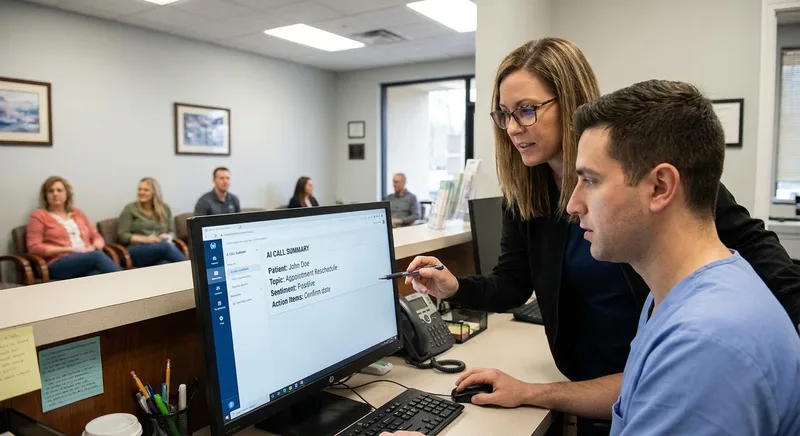
Most modern systems operate in three layers:
- Speech recognition: converts caller audio into text with dental-specific vocabulary tuning (it knows the difference between "cleaning" and "scaling," for example)
- Intent classification: categorizes the call as appointment request, cancellation, insurance question, urgent concern, or general inquiry
- Response and routing: answers routine questions from a practice-configured knowledge base, captures structured data for staff follow-up, or transfers the call live when escalation rules are triggered
The quality of that final layer, the escalation logic, is what separates effective dental AI receptionists from frustrating ones. According to the ADA Health Policy Institute, the majority of new patient inquiries to dental practices still begin with a phone call, making call handling quality a direct driver of patient acquisition. Systems that hold callers too long or fail to recognize distress signals damage patient trust quickly. A natural, conversational voice also matters significantly; for a breakdown of what makes patients accept AI calls, the natural AI voice guide for dental offices covers the key factors in detail.
HOW IT WORKS: AI DENTAL RECEPTIONIST CALL FLOW
Well-configured dental AI handles 70-85% of routine calls without staff involvement. Escalation rules define the rest.
Top AI Virtual Receptionist for Dental Clinics or Offices
The top AI virtual receptionists for dental clinics share four traits: dental-specific language training, configurable escalation rules, clear call summaries, and reliable after-hours coverage. The strongest systems fit real front desk workflows rather than requiring staff to adapt around generic automation features that were not built for dental practices.
Dental practices need systems that understand dental terminology, recognize appointment urgency, and know when to hand off to a human. Top-performing AI receptionists for dental offices share a few consistent traits: Voice and script control belong on that list too, and testing whether an AI receptionist's voice can match your practice explains how to separate real customization from surface-level settings.
- Dental-specific language understanding, not generic call scripts
- Flexible escalation rules that protect patient experience
- Clear call summaries that fit naturally into daily operations
- Reliable after-hours and overflow coverage
The strongest solutions work alongside your team. They reduce pressure during peak periods without changing how staff handle the interactions that actually require a person. The dental patient communication software buyer guide provides side-by-side comparison criteria if you're evaluating AI receptionists alongside broader communication platforms.
How to Be a Good Dental Receptionist (and Where AI Fits)
A good dental receptionist manages patient expectations, prioritizes urgent needs, documents accurately, and stays composed while juggling in-person check-ins and inbound calls simultaneously. AI fits this role best as a workload stabilizer, handling routine overflow so human staff can focus on the complex, sensitive interactions where judgment and empathy actually matter.
AI is most effective when it supports those responsibilities, not when it tries to replicate them. Here's where AI adds real value:
- Answering routine questions consistently
- Capturing appointment intent and urgency
- Reducing interruptions during clinical hours
- Making sure no call goes unanswered
Human receptionists remain essential for complex scheduling, emotional conversations, insurance clarifications, and in-office interactions. AI works best as a workload stabilizer, not a replacement for experience and judgment. Understanding why patients hang up when put on hold makes it clear why overflow coverage is the most high-value starting point for most practices.
How to Use AI in a Dental Clinic
The most effective way to bring AI into a dental clinic is gradually, starting with the highest-volume, lowest-complexity windows: after-hours, lunch-hour overflow, and repetitive appointment or hours-related questions. Defining clear escalation rules and reviewing call summaries daily during the first weeks prevents configuration problems before they affect patient experience.
Most practices start with:
- After-hours call handling
- Lunch-hour and peak-time overflow
- Repetitive appointment and hours-related questions
Clear configuration matters. Define when AI handles calls, when it escalates to staff, and how call summaries get reviewed. When set up properly, AI improves consistency without disrupting what's already working. For weekend and holiday coverage specifically, a common gap even in well-staffed offices, the weekend dental call coverage framework outlines a practical deployment approach.
Can AI Replace Receptionists in Dental Offices?
No, AI cannot replace dental receptionists. AI handles call volume well but lacks the empathy, situational context, and real-time judgment that trained front desk staff bring to complex scheduling, distressed patients, insurance disputes, and in-office interactions. Practices that position AI as a staffing substitute, rather than a support layer, consistently report lower patient satisfaction scores.
AI changes how front desk teams work. By reducing interruptions and missed calls, it frees staff to focus on in-office patients and complex interactions. Practices that treat AI as a support layer, not a staffing shortcut, see better outcomes. A BrightLocal study found that 57% of consumers still prefer speaking with a human when their issue feels urgent or emotionally sensitive, and that number is even higher among older dental patients. That's not a problem AI solves. It's a reason to configure escalation rules carefully.
How to Choose an AI Receptionist for a Dental Office (Step-by-Step)
To choose an AI receptionist for a dental office, evaluate four core areas in order: dental terminology training, escalation and call routing logic, appointment and scheduling support, and call summary quality. Not all AI receptionists are built for dental-specific workflows, evaluating on general automation claims rather than operational fit is the most common and costly mistake practices make.
1. Call Handling and Natural Language Understanding
The system should accurately understand dental terminology and natural patient phrasing. This means recognizing requests for cleanings, emergency visits, billing questions, and provider availability without misrouting them.
Generic call systems often fail here. They're trained on broad categories, not dental-specific language. Test this directly during any demo by using real phrases your patients actually call in with. If it struggles in a demo, it will struggle in your office.
2. Appointment-Related Support
At minimum, the system should capture preferred appointment times, appointment type, and urgency so staff can follow up efficiently. Some systems also support rescheduling and cancellation requests.
Related: Curious what a full rollout looks like? Read the step-by-step guide to automating dental appointment scheduling →
The key question isn't whether the feature exists. It's how clearly that information gets handed off to your team. Vague summaries create more work, not less.
3. After-Hours and Overflow Coverage
AI receptionists are most effective as overflow and after-hours coverage. Lunch hours, early mornings, and evenings are where most practices lose calls they never know they missed.
Configure the system to own those windows completely. That alone typically justifies the cost for most single-location practices. To understand the full scope of dental call overflow and how different practice sizes experience it differently, the overflow handling guide walks through each scenario.
4. Call Summaries and Documentation
Clear call summaries let staff understand what a patient needed in under 30 seconds. No replaying recordings, no guesswork.
Look for summaries that include caller intent, urgency level, and any specific details the patient mentioned, formatted the same way every time. Inconsistent summaries create follow-up errors and slow your team down.
Key Evaluation Criteria for Practice Owners
| Evaluation Area | What to Look For | Why It Matters |
|---|---|---|
| Dental-Specific Training | Familiarity with dental terms and workflows | Reduces misinterpretation of patient requests |
| Setup Complexity | Time and effort to configure and go live | Limits disruption to daily operations |
| Staff Oversight | Ability to review and adjust interactions | Maintains quality and catches edge cases over time |
| Call Escalation Rules | Clear, configurable handoff to staff | Protects patient experience on complex or distressed calls |
| Reporting & Insights | Visibility into call patterns, volume, and missed calls | Enables smarter staffing and scheduling decisions |
| PMS Integration | Native connection to Dentrix, Eaglesoft, or Open Dental | Reduces manual data entry and follow-up errors |

What Does AI Receptionist Integration With Your PMS Actually Look Like?
One of the most important, and most misunderstood, questions in AI receptionist selection is how the system connects with your practice management software. The answer varies significantly by vendor.
There are three common integration models dental practices encounter:
- Call summary delivery only: The AI captures structured notes and sends them via email, SMS, or a dashboard. Staff still enter data manually into the PMS. This is the most common setup and requires the least technical work to launch.
- Webhook or API sync: Call data triggers automated entries or updates in the PMS. Appointment requests, cancellations, and patient info updates happen without staff intervention. This requires more configuration but delivers the highest efficiency gain.
- Native PMS integration: A purpose-built connector between the AI platform and your specific PMS (Dentrix, Eaglesoft, Open Dental, Denticon). These integrations typically support real-time availability checking and booking confirmation, the closest thing to a fully automated scheduling workflow.
For practices already on Open Dental, the Open Dental AI receptionist integration guide covers exactly how that connection works and what practices should verify before going live.
PMS INTEGRATION: QUESTIONS TO ASK ANY VENDOR
What to Know Before Choosing an AI Receptionist for a Dental Office
Before choosing an AI receptionist, understand that no system fully handles complex appointments, insurance-dependent visits, or emotionally distressed callers without staff involvement. Clear escalation rules and a signed HIPAA Business Associate Agreement are non-negotiable prerequisites, not optional features to configure after launch.
There are edge cases where AI struggles. Emotionally distressed callers. Complex treatment discussions. Anything that requires reading the situation. Clear escalation rules aren't optional. They're the thing that separates a system that works from one that frustrates patients.
Before signing any contract, ask the vendor specifically about HIPAA compliance posture, how call recordings are stored, who has access, and what Business Associate Agreement they provide. Understanding how dental patient phone verification works in AI-handled calls is a practical compliance checkpoint most practices overlook until something goes wrong.
Operational Fit for Local Dental Practices
Local dental practices experience predictable call spikes: opening hour, lunch break, and end of day. AI receptionists work best when configured to support those specific windows, not running uniformly at all times.
For multi-location practices, consistent call handling improves patient experience and reduces staff burnout. But location-specific scripts still matter. A one-size-fits-all configuration won't account for differences in patient base, hours, and provider availability across locations.
Solo and small practices face a different challenge: the same front desk person is often the only call handler, insurance coordinator, and patient check-in staff all at once. In those environments, AI coverage during clinical hours matters most. The AI receptionist sizing guide for solo dental practices covers how to right-size coverage for a one- or two-provider office without over-investing in features that don't fit the workflow.
What Call Analytics Should You Expect From an AI Receptionist?
A dental AI receptionist should report on five core metrics: call answer rate by time window, escalation rate, call resolution rate, after-hours call volume, and staff summary review lag. Reporting is often underweighted during vendor selection, but practices that review call analytics weekly recover significantly more appointments than those relying on anecdotal feedback from staff.
According to a 2024 report from Dental Intelligence, practices that review call analytics weekly recover an average of 14 additional appointments per month by identifying missed calls and reactivating unresponsive patients. That number only materializes if the reporting is actionable, not just a raw count of calls handled.
The metrics that matter most for dental AI receptionist performance are:
- Call answer rate by time window: Shows whether AI is covering the right hours (peak vs. off-peak)
- Escalation rate: How often calls are transferred to staff; if it's above 40%, the AI needs better intent training or configuration
- Call resolution rate: What percentage of calls reach a clear outcome (appointment captured, question answered, follow-up logged)
- After-hours call volume: Tracks whether patients are attempting contact outside business hours, a signal your coverage window needs expansion
- Summary review lag: How long between a call and staff follow-up action; long lag times indicate operational issues, not AI failures
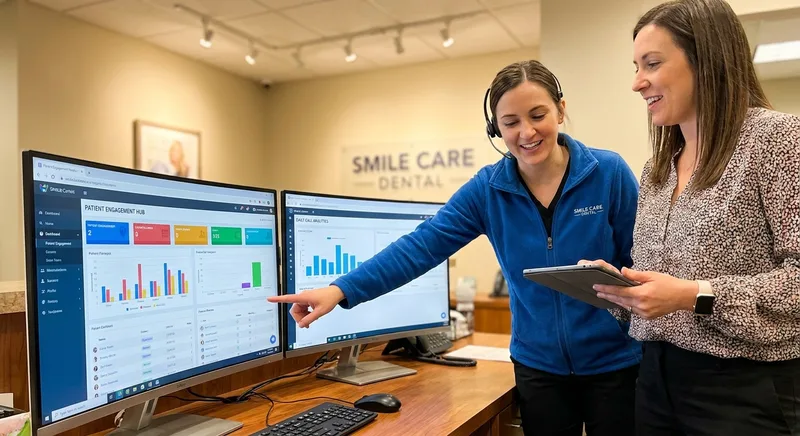
For practices interested in turning these metrics into scheduling and staffing decisions, the dental call analytics guide covers the seven metrics that have the clearest direct impact on revenue.
CALL PERFORMANCE BENCHMARKS: WHERE DOES YOUR PRACTICE STAND?
Dental AI Receptionist Checklist: How to Evaluate the Right Solution
Use this 22-point dental AI receptionist checklist during demos and vendor comparisons. It covers core call handling, appointment support, patient experience, front desk workflow, PMS integration, HIPAA compliance, and long-term implementation fit, organized by category so you can identify gaps quickly and compare vendors side by side without relying on marketing materials. Once you have picked a vendor off that checklist, this step-by-step implementation guide for a dental AI receptionist covers what the actual rollout looks like.
Core Call Handling
- ⬜ Accurately understands dental terminology and common patient requests
- ⬜ Handles high call volumes without long wait times
- ⬜ Responds conversationally rather than relying on rigid phone menus
Appointment & Scheduling Support
- ⬜ Captures appointment intent, urgency, and preferred times
- ⬜ Supports rescheduling and cancellation requests
- ⬜ Escalates complex or insurance-dependent bookings to staff
Patient Experience & Escalation
- ⬜ Recognizes when a caller needs human assistance
- ⬜ Transfers calls smoothly to front desk staff when required
- ⬜ Handles after-hours and overflow calls without frustrating patients
Front Desk Workflow Impact
- ⬜ Provides clear, consistent call summaries for staff review
- ⬜ Reduces interruptions during clinical hours
- ⬜ Helps prevent missed follow-ups and lost appointment opportunities
Operational Fit & Oversight
- ⬜ Allows staff to review, adjust, and improve AI responses
- ⬜ Supports location-specific scripts and workflows
- ⬜ Scales across providers or multiple practice locations
PMS Integration & Compliance
- ⬜ Integrates with your current practice management software
- ⬜ Vendor provides a signed HIPAA Business Associate Agreement (BAA)
- ⬜ Call recordings are stored securely with access controls
Implementation & Long-Term Value
- ⬜ Can be rolled out gradually without disrupting daily operations
- ⬜ Demonstrates measurable reduction in missed calls
- ⬜ Delivers ongoing value through continuous optimization
Conclusion
Choosing the right AI receptionist for a dental office comes down to one question: does it fit how your front desk actually operates? A system with impressive feature counts but poor dental-specific training, weak escalation logic, or minimal PMS integration will underperform a simpler system configured precisely for your call patterns and team workflow.
When evaluated carefully, AI receptionists reduce missed calls, improve documentation, and support front desk teams without compromising patient experience. The practices that get the most out of it configure it for their specific call patterns and keep staff in the loop.
The buying checklist above gives you a structured way to run that evaluation. Prioritize dental-specific training, escalation logic, PMS integration, and call analytics, in that order. Everything else is secondary.
Related reading: the top dental AI voice receptionist platforms in 2026.
Related reading: how AI receptionists compare with human receptionists.
See How DentiVoice Handles Your Actual Call Flows
Request a demo and walk through your practice's specific overflow scenarios, escalation rules, and real call examples.
Request a DentiVoice DemoFrequently Asked Questions
In most modern dental offices, AI receptionists are designed to sound conversational and handle simple requests. You may notice it asks clear questions about appointment type or urgency, and it should quickly transfer you to a human if you ask or if your issue is complex.
Many systems can collect your preferred times, appointment type, and urgency, but complex bookings often require staff confirmation. This helps avoid errors with insurance, provider availability, or procedure length.
AI receptionists typically handle basic scheduling and office questions, not detailed treatment discussions. Reputable dental systems limit data collection and escalate sensitive or emotional calls directly to staff.
AI receptionists handle appointment inquiries, office hours questions, basic insurance prompts, and call routing. They work best on repetitive, predictable requests. Complex clinical questions or distressed callers should transfer to human staff immediately.
Start with dental-specific language training, then evaluate escalation rules, scheduling support, call summary quality, PMS integration, and HIPAA compliance. Run a demo using real call scenarios from your practice before committing.
No. AI handles volume and routine calls well, but cannot replace trained staff for insurance clarifications, complex scheduling, distressed patients, or in-office interactions. Think of it as overflow coverage, not a staffing substitute.
Yes, often more than expected. Single-location practices lack staffing buffers, so missed calls during lunch or after hours directly cost appointments. AI handles those windows without adding payroll.
Patients tend to accept it when the AI sounds natural and escalates quickly when needed. Problems arise when AI keeps callers in loops instead of handing off to staff. Smooth escalation is the biggest factor in patient acceptance.
Integration depth varies by vendor. Some provide call summaries for manual staff follow-up. Others connect directly with scheduling workflows. Always ask which practice management systems they support and whether integration is native or third-party.
Track call answer rate by time window, escalation rate, call resolution rate, after-hours volume, and staff summary review lag. Practices reviewing these metrics weekly recover significantly more appointments than those that do not.
Sources & References
- 1
- 2
- 3
- 4
- 5
- 6
Topics
Was this article helpful?
Written by
DentalBase Team
Expert dental industry content from the DentalBase team. We provide insights on practice management, marketing, compliance, and growth strategies for dental professionals.
