
Switch Dental Practice Phone System Without Losing Calls

Learn how to switch your dental practice phone system without dropping patient calls: number porting timelines, cutover coverage, and PMS downtime risk.
Share:
Table of contents
If you switch dental practice phone systems without a plan, you can lose active calls, voicemails, and even your main number. A single-provider practice moving from a landline to VoIP faces this risk. So does a two-location group merging phone lines after an acquisition. The danger sits in the cutover window, when nothing is fully working yet.
This guide covers what actually breaks during a phone system change and how number porting works. It also covers what should answer the phone mid-switch. Many practices pair this transition with an AI receptionist, so calls keep getting answered even while the old system winds down.
You'll also get a day-by-day migration timeline you can hand to your team, so nobody is guessing who owns which step on go-live day.
What Actually Breaks When You Switch Dental Practice Phone Systems?
Yes, several things can break at once. The phone number itself, call routing rules, voicemail greetings, and any integrations tied to the old system all move independently. A gap in any one of them drops calls.
Most practices assume a phone switch is a single event. It isn't. Your main number is tied to a carrier account. Your call routing, meaning which extension rings and what happens after hours, lives in the old system's settings. Your voicemail greeting, your call recording configuration, and any caller ID reputation built up over years are all separate pieces. None of them transfer together automatically. According to the American Dental Association, front-office continuity during any operational change directly affects patient retention. A phone switch is one of the more disruptive changes a practice can make without realizing it. This is also the moment to confirm whether your outgoing vendor's recordings follow your call recording retention policy or get left behind on a system you no longer control.
Keeping calls flowing through a switch is only part of the picture; how AI-handled calls move from a live conversation to a confirmed slot on the schedule covers the rest of that journey.
The Five Pieces That Move Independently
- The number itself: requires a formal port request, not just a cancellation and new sign-up
- Call routing rules: extension mapping, hold music, and after-hours forwarding reset to defaults on the new system
- Voicemail greetings and saved messages: rarely migrate automatically between carriers
- Caller ID and spam reputation: can reset when a number moves to a new type of carrier
- Any integrations: click-to-call from your website, texting numbers, and fax lines tied to the old system
Map every one of these before you request a port. A single missed dependency, like a fax line still pointed at the old number, is usually what causes the "small" problems that drag on for weeks after go-live.
Don't let a phone switch create a coverage gap
An AI receptionist can answer calls consistently through a migration, regardless of which carrier or system is live that day.
See how it works →How Does Dental Phone Number Porting Work and How Long Does It Take?
Dental phone number porting moves your existing number from one carrier to another without changing what patients dial. Simple single-line ports take one business day under FCC rules, while multi-line or complex practice ports can take up to four business days.
1
Business Day
Simple single-line port under FCC rules
4
Business Days
Maximum for multi-line or intermodal ports
72
Hours
Recommended watch period after go-live
How the Port Request Actually Moves
The port itself is a request, not a technical migration you perform yourself. Your new carrier submits a Local Service Request to your current carrier on your behalf. The two carriers then coordinate the handoff. For a single-line practice switching between landline providers, this is usually straightforward. According to FCC number portability rules, carriers get up to four business days for multi-line or VoIP-based intermodal ports. In practice, complex multi-line business ports commonly run one to two weeks once documentation and account verification are factored in.
What Slows a Port Down
What can slow a port down almost every time is a mismatch between the account name on file and the name on the port request. Pull your most recent bill from your current carrier before you start. Confirm the account holder name, billing address, and account number match exactly what you submit to the new provider. A missed-call text-back setup on your interim line catches the callers who reach a dead line while the port is pending.
Can You Keep Your Number After a Practice Acquisition or Rebrand?
Yes, you can generally keep your number after a practice acquisition or rebrand, since porting rights follow the number, not the original owner. The new entity must hold or obtain authorization to request the transfer.
Acquisitions: Get Authorization in Writing
When a practice changes hands, the outgoing owner's carrier account technically owns the number until a port or account transfer happens. Buyers should get written authorization from the seller as part of the purchase agreement. Name the phone number and the account it lives on specifically, so there's no ambiguity later. This matters more than most buyers expect. A seller who cancels their carrier account before the transfer completes can cause the number to be released, and potentially reassigned to someone else entirely.
Rebrands: A Simpler Path
For a rebrand where the entity itself isn't changing, the process is simpler. You're keeping the same account holder and just changing what shows up on marketing materials. The port or transfer only needs to happen if you're also switching carriers. Either way, verify your data security posture stays intact through the ownership change, since patient call data and voicemail transcripts often move with the account.
What Should Answer the Phone During the Cutover Window?
During the cutover window, calls should route to a temporary or backup line, not go unanswered. Many practices forward the old number to a mobile line, a call center, or an AI receptionist until the new system is fully live. Vendor and solicitation calls are usually the first thing worth deprioritizing on that backup line; see routing vendor calls without spending backup capacity on them for how to route them without spending backup capacity on them.
What a Missed Cutover Actually Costs
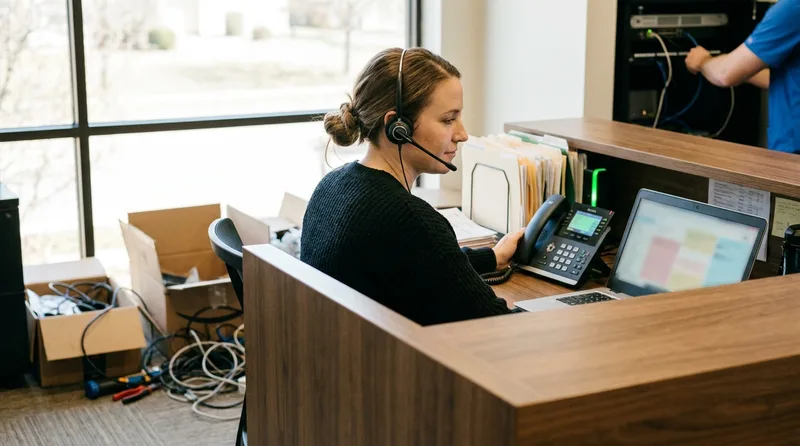
The cost of getting this wrong is higher than most practices assume. Dental Economics reports that practices already miss 30 to 38% of incoming calls during normal business hours, and a poorly staffed cutover window compounds that rate. The same analysis puts the annual revenue impact of missed calls at $100,000 to $200,000 for many practices, which is exactly the exposure a badly timed cutover adds to. Brief your front desk and any covering staff on the exact cutover schedule before it happens. Everyone answering phones needs to know three things: what number is live right now, what script to use if a caller mentions the "new system," and where to send a call if the scheduling software isn't accessible yet. This is also the point where introducing an AI receptionist to your team ahead of time pays off. Staff aren't learning a new tool and managing a live cutover at the same time.
When to Schedule the Cutover
Schedule the cutover for your lowest call-volume window, typically early morning before opening or a slow midweek afternoon. Never cut over on a Monday, when call volume is highest after a weekend.
How Do You Handle Two Numbers During a Practice Merger?
Run both numbers in parallel during a merger, forwarding the retiring number to the surviving one for several weeks. This avoids stranding patients who still have the old number saved from before the merger closed.
A clean merger keeps the acquired location's original number active and forwards it, rather than disconnecting it the day the deal closes. Patients don't check for a merger announcement before they call. They just redial the number in their phone. Set the forward to route into the same queue as your primary line. That way front desk staff can't tell which number a caller dialed unless they ask, which keeps the experience consistent.
The Forwarding Checklist
- Confirm both numbers can be forwarded without carrier restrictions before the merger closes
- Update the acquired location's insurance clearinghouse integration to route under the surviving entity's payer IDs
- Keep the forward active for a minimum of 90 days, longer if the acquired location had heavy local advertising
- Track call volume on the forwarded number monthly; a sharp drop signals it's safe to retire
Retire the old number only after volume on it drops to near zero for at least two consecutive months, not on a fixed calendar date.
What Happens to Calls When Your Practice Management Software Goes Down?
When your PMS goes down, phone calls should keep coming in even if scheduling has to happen on paper temporarily. Separating your phone system from your PMS dependency protects call answering from software outages.
Why Some Phone Systems Fail With Your PMS
Some phone setups route call handling logic through PMS integrations. That means a PMS outage takes the phone system down with it. This is a design flaw worth catching before you finalize a new system. Ask your new provider directly whether call answering functions independently of the practice management schedule view or any other PMS-dependent screen. Systems like Open Dental, Dentrix, and similar platforms are built around scheduling views. Your phones should never go silent just because that view won't load.
Your Paper Backup Plan
Keep a paper backup schedule template printed and accessible at the front desk for exactly this scenario. When the PMS is down, staff can still answer calls and write down appointment requests by hand. They enter them once the software is back, rather than losing the caller entirely. Your online booking integration should have a similar fallback path documented for the same reason.
How Do You Update Your Number Everywhere Patients Find You?
Update your number everywhere patients find it: Google Business Profile, your website, insurance directories, and any marketing materials in circulation. Missed updates here cause wrong-number calls for months after the switch is technically complete.
This step gets skipped more often than any other in a phone system migration. It isn't a single task, it's a checklist scattered across a dozen platforms your practice doesn't log into daily. Inconsistent business information across the web, sometimes called NAP inconsistency (name, address, phone), can quietly work against your local search visibility even after the technical switch is complete. According to the CDC, consistent, accessible contact information is a basic factor in whether patients can reach care when they need it. That's exactly what's at stake when an old number keeps circulating.
Everywhere Your Number Needs to Change
- Google Business Profile (usually the highest-traffic listing to fix first)
- Your website header, footer, and any embedded click-to-call buttons
- Insurance directories and payer network listings
- Printed materials still in circulation: business cards, appointment reminder cards, signage
- Any paid advertising campaigns that reference the old number directly
Set a calendar reminder to recheck these listings 60 days after go-live. Directory sites and insurance networks are frequently slow to update, and a number that was correct on day one can quietly revert after a data refresh.
Every call still needs to be traceable back to its source
Once your number is live everywhere, make sure you can still see which channel drove each booked call.
Learn about call attribution →What Does a Low-Risk Switching Timeline Look Like?
A low-risk switching timeline starts 30 days before go-live and treats the cutover itself as the shortest, most carefully staffed part of the whole process. Most delays come from skipped prep steps, not the port itself.

Compress this timeline at your own risk. Practices that try to switch systems in a week almost always skip the account-name verification step described earlier. That's the single most common cause of a rejected or delayed port. The table below breaks the process into weekly windows, with an owner and a stated risk for skipping each one.
The Week-by-Week Timeline
| Window | Action | Owner | Risk if skipped |
|---|---|---|---|
| T-30 days | Submit port request with verified account details | Office manager | Rejected port, restart the clock |
| T-21 days | Begin updating Google Business Profile, website, and directories | Marketing lead | Wrong number circulates for weeks |
| T-14 days | Brief staff on cutover schedule and interim answering plan | Practice owner | Confused front desk, dropped calls on go-live day |
| T-7 days | Run test calls on the new system end to end | IT contact or vendor | Untested failure discovered live |
| Go-live day | Execute cutover during lowest call-volume window | Office manager | Peak-hour calls hit a dead line |
| 72-hour watch | Monitor call logs for drops, spam flags, or routing errors | Office manager | Silent failures go unnoticed until a patient complains |
Pair this timeline with your call tracking setup. You'll see, in the data, exactly when the new system's call volume matches or exceeds what the old one was handling. That's your real confirmation the switch worked, not just that the phone rings.
The single biggest mistake practices make when they switch dental practice phone systems is treating the cutover date as the whole project. The real work happens in the weeks before it. That's when you request the port, brief your staff, and line up backup coverage for the calls that arrive while both systems are half-configured.
Start your port request at least three weeks out. Confirm who answers the phone during the cutover window. Build in a 72-hour watch period after go-live before you consider the switch complete.
Never let a phone switch cost you a patient call
See how an AI receptionist keeps calls answered through porting, cutovers, and everything in between.
See How an AI Receptionist Works →Related reading: what happens to your phone system during an outage.
Related reading: the real reasons a dental office phone stays busy, and how to fix it.
Related reading: how after-hours AI reception stops you from losing patients.
Planning a related practice management change?
Browse Practice Management guides →Frequently Asked Questions
Simple single-line ports take one business day under FCC rules. Multi-line or complex practice ports can take up to four business days, and real-world cutovers for a full practice often run one to two weeks once account verification is included.
No, not if you set up a backup or forwarding line before the port completes. Practices that skip this step risk a dead line during the exact hours patients are trying to book appointments.
Yes, but the new owner needs written authorization naming the number and account. Without it, the seller's carrier can release the number if the account is canceled before the port finishes.
It can, if the old number keeps appearing on directories, insurance listings, and your Google Business Profile after the switch. Inconsistent contact information across the web is a known local search ranking factor.
Most carriers do not automatically transfer saved voicemails to a new system when you switch dental practice phone systems. Export recordings or write down key messages before you disconnect the old service, since they are often gone within days of cancellation.
Yes, scheduling the cutover during your lowest call-volume window, such as early morning or a slow midweek afternoon, reduces how many calls are exposed to any coverage gap. Avoid Mondays, when call volume after a weekend is highest.
A mismatch between the account holder name on the port request and the name on file with the current carrier. Verifying this against a recent bill before submitting the request prevents most delays.
Sources & References
- 1
- 2
- 3
- 4
- 5
Topics
Was this article helpful?
Written by
DentalBase Team
Expert dental industry content from the DentalBase team. We provide insights on practice management, marketing, compliance, and growth strategies for dental professionals.
