
Dental Appointment Type Mapping for Accurate AI Booking

Dental appointment type mapping decides whether AI bookings land right. Build the procedure code, duration, and column table your schedule needs.
Share:
Table of contents
Every practice that turns on AI booking runs into the same question within the first week. Why did a cracked-tooth caller end up in a 30 minute hygiene slot? The answer is almost never the voice model. It's dental appointment type mapping, the table that tells your booking layer which procedure codes, durations, and columns belong to each kind of visit.
According to the American Dental Association's Health Policy Institute, practice schedules run near 88% full, which makes every slot you do have worth protecting. Most offices have never written this table down. It lives in the scheduling coordinator's head, built over years of knowing that Dr. Patel needs 90 minutes for a first crown prep and that Tuesday's second column is hygiene only. That works fine until something automated starts touching the schedule. Then the tribal knowledge has to become a spec. If you're evaluating AI appointment booking for your practice, this is the piece that decides whether the bookings are usable or whether your front desk spends the morning cleaning them up.
This guide covers what belongs in the mapping table, how to set durations that match reality, how column rules work, and how to test the whole thing before patients touch it.
What Is Dental Appointment Type Mapping?
Dental appointment type mapping is the documented link between a patient's stated reason for calling and the exact slot your software should book: the procedure codes attached, the minutes reserved, the provider column, and any rule that restricts when it can go. It turns a spoken request into a schedulable record. That provider column assignment pairs directly with the rules covered in our dental provider scheduling preferences guide, which walks through how new patients, referrals, and recall visits get matched to the right provider.
Think of it as three columns of your own. On the left, what the patient says. In the middle, what that actually is clinically. On the right, what the schedule needs to hold it. A caller saying "my crown fell off" is a limited exam plus a recement, 30 minutes, doctor column, any day. A caller saying "I'm a new patient and I want a cleaning" is a full new patient evaluation, images, and a prophy, 60 to 80 minutes, hygiene column, and it needs a doctor available for the exam.
The three columns of a mapping row
One caller, translated into something your schedule can hold.
What the patient says
“My crown fell off”
Symptom language, no procedure named
What it is clinically
Recement, plus a limited exam if painful
The codes your team would bill
What the schedule needs
30 minutes, doctor column, any day
Duration, column, and booking rule
The middle column is the one practices skip. Without it, the booking layer is guessing.
The middle column is where practices get sloppy. Patients describe symptoms, not procedures. Your mapping has to absorb that gap so the booking layer never has to guess.
Why this is a configuration problem, not an AI problem
An AI agent books what your system exposes to it. If your practice management software has one generic appointment type called "Treatment" covering everything from a bite adjustment to a four unit bridge, no amount of conversational skill fixes the output. The agent will choose that type, because it's the only one there. Garbage in, wrong column out.
Seeing bookings land in the wrong slot right now?
Before you rebuild the mapping table, it helps to know which of the four common failure patterns you're actually looking at.
Diagnose wrong appointment types →Why Do AI Bookings Land in the Wrong Slot?
Bookings land wrong for four reasons: the appointment types in the practice management system are too broad, the durations are inherited defaults nobody updated, the column rules were never written down, and the intake questions don't collect enough to tell two similar visits apart. Fix the data, not the script.
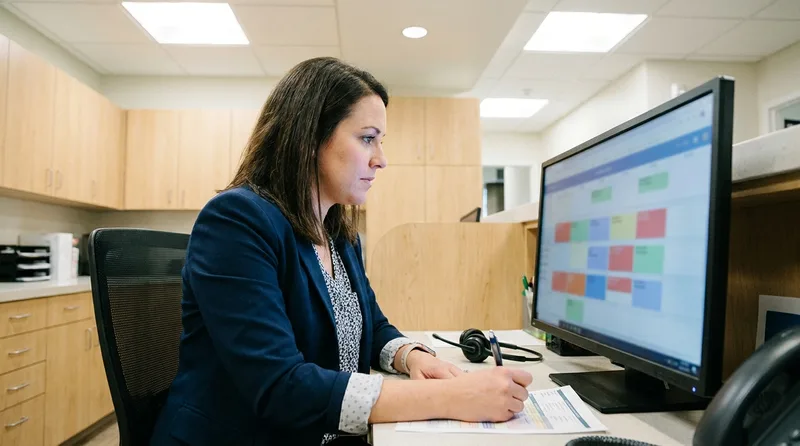
Take durations. According to Dental Economics, one dentist might need 90 minutes for a first crown preparation while another needs 60, a 50% spread that means a shared default across a three provider office is wrong for at least two of them. Now multiply that by the twenty or so procedures you book regularly. The drift compounds quietly.
Column rules are worse, because they're usually invisible. Everyone knows the third operatory is surgery only on Thursdays. Nobody has typed it anywhere. An automated booker has no way to learn a rule that exists only as habit.
And the intake gap is real. "I need a cleaning" could be a routine prophy, a periodontal maintenance visit, or scaling and root planing that needs two 60 minute appointments. Those are three different codes, three different durations, and sometimes three different providers. One question about the last visit date usually separates them.
The four things that actually break a booking
- Overly broad types. A single "Treatment" or "Doctor Appointment" type forces every restorative visit into one duration.
- Stale defaults. Time patterns copied from the software's install template rather than measured against your actual chair time.
- Undocumented column logic. Provider, operatory, and day restrictions that live in staff memory.
- Thin intake. Not enough collected on the call to distinguish a prophy from periodontal maintenance.
Which Procedure Codes Belong in Your Dental Appointment Type Mapping?
Attach the specific CDT codes you'd actually bill for that visit, not a placeholder. The American Dental Association maintains the Code on Dental Procedures and Nomenclature, the HIPAA recognized code set for dentistry, and those codes are what your software uses to calculate time and production.
Per the ADA, the code set has been a HIPAA standard since August 17, 2000, and every entry carries a D plus four digit format. Codes matter here for a practical reason beyond billing. In most practice management systems, the attached procedure drives the appointment length automatically. Open Dental, for example, calculates provider and assistant time from the time pattern stored on each procedure code, then combines patterns when several procedures sit on one appointment. Change the code, change the slot.
Start with your six highest volume visits
Start with the visits that make up the bulk of your book. For most general practices that's recall hygiene, new patient exams, emergencies, single unit crowns, fillings, and extractions. Those six cover a large share of booked calls. Everything else can route to a staff member until you've proven the common paths work.
| What the patient says | Appointment type | Typical codes | Column |
|---|---|---|---|
| "I'm due for my cleaning" | Recall hygiene | Prophy, periodic exam, bitewings | Hygiene |
| "I've never been in before" | New patient exam | New patient evaluation, full mouth images, prophy | Hygiene plus doctor check |
| "My tooth is throbbing" | Emergency exam | Limited exam, periapical image | Doctor, same day buffer |
| "My crown came off" | Recement | Recement crown, limited exam if painful | Doctor, short slot |
| "I need my deep cleaning finished" | Periodontal therapy | Scaling and root planing by quadrant | Hygiene, extended |
How Long Should Each Appointment Type Actually Be?
Set duration from measured chair time in your own office, not from the software's default template. Pull the last 30 completed appointments of a given type, look at the gap between seated and dismissed, and use the number that covers roughly four out of five of them. Round to your scheduling increment.
Most systems express this as a time pattern rather than a flat number of minutes, which matters more than it sounds. In Open Dental's appointment type settings, each type carries a color, a time pattern, and attached procedures, and the pattern distinguishes provider time from assistant time. Per the Open Dental manual, each square in that pattern represents 10 minutes by default. A 50 minute hygiene slot might read as 20 minutes of assistant time, 20 of provider time, and 10 more of assistant time. That shape is what lets a second appointment nest inside the gaps.
Buffers deserve their own decision. Emergency visits overrun more often than anything else because the diagnosis changes the plan mid appointment. Many practices reserve a short daily buffer rather than padding every emergency slot, which keeps the rest of the day honest.
A quick way to sanity check your durations
- Export completed appointments by type for the last 90 days.
- Compare scheduled minutes against actual seated to dismissed minutes.
- Flag any type where the average gap exceeds ten minutes in either direction.
- Adjust the type, then re-check after a month of live bookings.
Practices that skip step four tend to drift back within a quarter. Patient mix shifts. New providers arrive. The table needs maintenance like anything else in the office.
Mapping is step three of a five step setup
See where appointment types fit in the wider rollout, from call routing rules through to the first live week.
Read the setup checklist →How Do You Assign Appointment Types to the Right Column?
Column assignment comes down to three rules you have to write explicitly: which provider or operatory can hold this type, which days or hours it's allowed in, and whether it can be double booked against another visit. Without all three, an agent will find a technically open slot that your team knows is unusable.
Column logic is older than any AI tool. Dental Economics has described a two column model where one column carries the longer primary procedures and the second carries shorter secondary work, with a rule capping how many of the short visits land per hour. Whatever shape yours takes, the point is that the shape exists and has to be stated.
Double booking is the rule nobody writes down
Double booking is the rule most often left implicit. Hygiene columns frequently allow a doctor exam to overlap a hygienist's provider time, because the exam takes five minutes inside a 50 minute visit. Restorative columns usually don't allow overlap at all. That distinction matters more when capacity is already tight: ADA Health Policy Institute research attributes an estimated 10% national reduction in practice capacity to vacant hygiene and assisting positions. If your booking layer doesn't know the difference, it will either refuse valid slots or stack two crowns on one dentist.
Write the rules as plain sentences first, then configure them. "Surgical extractions only in operatory 3, Tuesday and Thursday mornings, never double booked" is something any team member can check. It's also a spec an integration can honor.
How Should New Patient, Emergency, and Hygiene Calls Be Separated?
Separate them by the question each one answers on the call: has this person been seen here before, is there pain or swelling today, and is the visit preventive or problem driven. Those three questions sort nearly every inbound booking request into the right family of appointment types.
What each lane costs you when it goes wrong
The stakes differ by lane. A misrouted hygiene visit costs you a rescheduled cleaning. A misrouted emergency can mean a patient in pain waiting three weeks, which is the kind of thing that ends up in a review. That's why emergency triage rules belong upstream of the mapping table, in how the agent triages urgent versus routine calls, before any slot gets chosen.
New patients need a third consideration: insurance and paperwork time. A practice that books new patients into the same 50 minutes as a returning recall visit will run late all afternoon. Adding ten minutes and an earlier arrival request usually fixes it.
Volume shapes this too. Preventive visits dominate the book at most general practices, which tracks with national utilization patterns. According to the CDC's National Center for Health Statistics, 65.5% of adults aged 18 and over had a dental exam or cleaning in 2023, and most of those visits are recall driven. The National Institute of Dental and Craniofacial Research keeps prevalence data on dental caries that explains the other side: a steady flow of restorative work gets diagnosed inside those preventive visits. Your mapping has to carry both lanes cleanly.
What Does a Complete Dental Appointment Type Mapping Table Look Like?
A complete table has one row per appointment type and six fields filled in for every row: the type name, the patient phrasings that trigger it, the attached procedure codes, the duration or time pattern, the column or provider rule, and the escalation path when the agent isn't confident. Six fields, no blanks.
That last field is the one teams forget. Every mapping needs a defined exit. If the caller describes something that doesn't match cleanly, or mentions two problems at once, the agent should take a message and route it rather than force a booking. A wrong booking costs more than a callback.
Anatomy of one complete row
Six fields per appointment type. A blank in any of them is where bookings go wrong.
Type name
As it exists in your schedule, not the software default
Trigger phrases
Pulled from 20 real booking calls
Procedure codes
The CDT codes your team actually bills
Duration or time pattern
Measured seated to dismissed, over 90 days
Column rule
Provider, operatory, days, double booking
Escalation path
Who gets the message when confidence is low
Field 6 is the one teams forget. Without a named exit, an unclear call still produces a booking.
The build order that works
Here's the build order that works:
- List your real appointment types. Pull them from the schedule, not from what the software shipped with.
- Attach codes to each. Use the CDT codes your team actually bills for that visit.
- Set durations from measured data. Ninety days of completed appointments is enough.
- Write column and double booking rules as sentences. Then configure them.
- Collect trigger phrases. Listen to 20 real booking calls and write down how patients actually ask.
- Define the escalation path per type. Name who gets the message and how fast.
Twenty calls is usually enough. Patient phrasing varies a lot between practices and very little inside one.
Step five is worth more than it looks. Patients don't say "periodontal maintenance." They say "the deep cleaning I had last year." Trigger phrases pulled from real calls are what close the gap between how people talk and how your schedule is organized. The same principle applies when you train an agent on your practice FAQs.
Related: Mapping only holds up if the integration writes back to the schedule correctly. See how an Open Dental integration handles appointment writes →
How Do You Test and Maintain the Mapping Over Time?
Run scripted test calls against a sandbox or a quiet hour, one per appointment type, using the exact phrasing patients use rather than clinical terms. Then open the schedule and check four things per booking: type, duration, column, and attached codes. Anything wrong is a mapping defect, not a conversation problem. Mapping also feeds everything downstream, since confirmation messages that match the appointment type only help when the booking landed in the right slot to begin with.

Build the test set from real calls. Twenty recordings will give you more useful phrasings than an hour of brainstorming, because patients are consistently stranger than teams expect. Somebody will say "the tooth with the silver thing." Your table should either handle it or escalate it, and testing is how you find out which.
Pay attention to the near misses. A caller who needs periodontal maintenance but gets booked as a routine prophy produces an appointment that looks fine on the screen and falls apart in the chair. Those are the defects worth hunting, and they only surface when you check the attached codes rather than the type name.
What to log during testing
- Which phrasing was used and which type it produced.
- Whether duration matched the mapping table.
- Whether the column and provider were correct.
- Whether low confidence cases escalated instead of booking.
How often to review the table
Review the dental appointment type mapping table quarterly, and immediately after any change to providers, hours, operatories, or the CDT code set. Four checkpoints a year catches most drift. The review takes under an hour once the table lives in a shared document.
Scheduling pressure makes this worth the time. According to the American Dental Association's Health Policy Institute, in a poll of 807 dentists:
- Practice schedules hovered near 88% fullness.
- 81.3% named no shows and short notice cancellations as the main barrier to filling the rest.
- A further 45% pointed to cancellations made more than 24 hours out.
- Vacant hygiene and assisting positions cost another estimated 10% of capacity nationally.
When open time is that valuable, a slot booked as the wrong type is a real loss.
Dental Economics has put a number on the hygiene side specifically: two unfilled hygiene appointments a day, at an average visit value of $150, works out to roughly $60,000 in annual lost productivity. Mapping errors aren't the only cause of open hygiene time, but they're one of the few causes you can fix in an afternoon.
Build the review into an existing rhythm. Most offices attach it to a quarterly team meeting, pull 90 days of bookings by type, and look for the same four defects from the test phase.
Who should own the table
Give it one owner. The scheduling coordinator or office manager should hold the table, with the lead dentist signing off on durations and column rules. Shared ownership fails here. When "the software vendor handles it" is the answer, nobody updates the table after a hygienist leaves, and the schedule slowly stops matching reality.
Clinical input matters for a narrow set of decisions:
- How long a procedure takes with this dentist.
- Which visits can't be doubled.
- Which symptoms need a same day look.
Everything else is front office territory. Dentaltown contributors have long recommended password protecting the block template in the practice management software so reserved time doesn't quietly get filled with routine visits, and that discipline around hygiene blocks applies just as well to an automated booker as to a team member.
For practices running multiple hygienists, it's worth reviewing your hygiene appointment management setup at the same time, since hygiene columns carry the most mapping rules of any part of the schedule. Dental Economics has reported that assisted hygiene models lift daily patient volume by 30% to 50%, which changes every duration in that column.
Where to start this week
The thing worth holding onto is this: dental appointment type mapping is documentation work, and it pays off whether or not you ever automate a single call. A table that states what each visit is, how long it takes, and where it goes makes the schedule legible to a new hire, a temp, a covering hygienist, and an AI agent equally.
Start narrow. Map your six highest volume appointment types this week, measure their real durations against the last 90 days, and write the column rules as plain sentences. Route everything else to a team member until the common paths are proven. That's a single afternoon of work, and it's the difference between bookings your front desk trusts and bookings they audit every morning.
Get the scheduling foundation right first
Our technology library covers integrations, booking rules, and the configuration work that decides whether automated scheduling helps your team or creates cleanup.
Browse technology guides →Working through a wider front desk rollout?
Explore the AI dental receptionist library →Frequently Asked Questions
Dental appointment type mapping is the documented link between a patient's stated reason for calling and the slot your software books: attached procedure codes, duration, provider column, and scheduling restrictions. It turns everyday patient language into a schedulable record.
Usually because the appointment types in the practice management system are too broad, or the durations and column rules were never documented. The agent can only pick from what your software exposes, so a single generic treatment type produces generic bookings.
Most general practices need eight to fifteen distinct types to cover normal booking volume. Fewer than eight usually means one type is doing too much work. More than twenty tends to create choices the front desk cannot apply consistently.
Use your own data. Pull the last 90 days of completed appointments by type, compare scheduled minutes against seated-to-dismissed minutes, and set the duration that covers about four out of five visits. Defaults rarely match a specific provider's pace.
Yes. In most practice management systems the attached procedure code drives appointment length and production reporting. The ADA maintains CDT as the HIPAA recognized dental code set, so attaching real codes keeps the schedule and the ledger aligned.
Route it to a team member. Dental appointment type mapping should include an escalation path for low confidence cases, so the agent takes a message rather than forcing a booking. A callback costs far less than a misbooked chair.
Quarterly, plus any time providers, hours, operatories, or the CDT code set change. The review takes under an hour once the table exists: pull 90 days of bookings by type and check duration, column, and attached codes for drift.
Sources & References
- 1
- 2
- 3
- 4
- 5
- 6
- 7
- 8
Topics
Was this article helpful?
Written by
DentalBase Team
Expert dental industry content from the DentalBase team. We provide insights on practice management, marketing, compliance, and growth strategies for dental professionals.
