
Dental Front Desk Multitasking: The Hidden Cost of Dual Duty

Dental front desk multitasking splits attention between patients and phones and raises errors. See the hidden cost of dual duty and how to share the load.
Share:
Table of contents
Dental front desk multitasking looks efficient from the hallway. One person checks in a patient, takes a copay, and answers the phone within the same two minutes. Up close, the cost shows up as half-finished forms, callers on hold, and a patient at the counter who feels ignored. The short answer: give the counter and the phone separate owners.
Most teams treat this as normal, yet dental front desk automation that reduces overload without replacing staff starts by admitting the pattern has a price. A Dental Economics analysis reports that practices miss 30% to 38% of incoming calls during business hours. Whenever one person covers both the counter and the phone, one of the two gets less than full attention.
This guide explains why dual duty is so hard, what slips first, and which tasks to separate by channel. You'll also get a phone-versus-counter rule to post at the desk, plus a look at how AI call support shares the load.
Why is dual duty the hardest dental front desk multitasking pattern?
Dual duty is the hardest pattern because both jobs demand your full attention at the same moment. A patient at the counter needs eye contact and accurate data entry. A ringing phone needs an instant, friendly answer. Neither job can wait politely, so one of them always loses.
Other front desk jobs can pause. A billing statement waits ten minutes without complaint. A patient and a ringing phone don't. Both are live, both are visible, and both get judged within seconds.
What does switching between tasks actually cost?
Psychologists call it a switching cost. The American Psychological Association notes in its overview of multitasking research that shifting between tasks can feel efficient but may take more time and add errors. At a dental desk, the task is often a name, a date of birth, or an insurance ID. An interruption halfway through that entry is exactly where a wrong digit can slip in.
How does a typical interruption play out?
Picture a three-provider practice at 8:15 on a Monday. A patient is updating an insurance card when the phone rings. The receptionist says "one moment," answers, books a cleaning, and turns back to the counter. By then the patient has lost their place and the screen sits half-complete.
Nobody did anything wrong. The setup caused it. Repeat that scene all morning and the strain compounds, which is the territory of dental front desk phone fatigue. Our overview of common front desk challenges in dental practices shows how often this collision sits underneath other complaints.
The fix isn't working faster. It's removing the collision, so the person at the counter and the person on the phone are never the same person at the same moment.
Where do your calls collide with check-in?
Our phone coverage guide walks through the ways a practice can cover calls during the day without pulling someone off the counter.
Read the phone coverage guide →What gets dropped first when the phone rings during check-in?
Check-in accuracy usually gets dropped first, because the phone feels more urgent than the person already standing there. Insurance fields, form review, and the patient's own questions get half-finished while the receptionist reaches for the handset. The caller gets served and the counter pays the price.
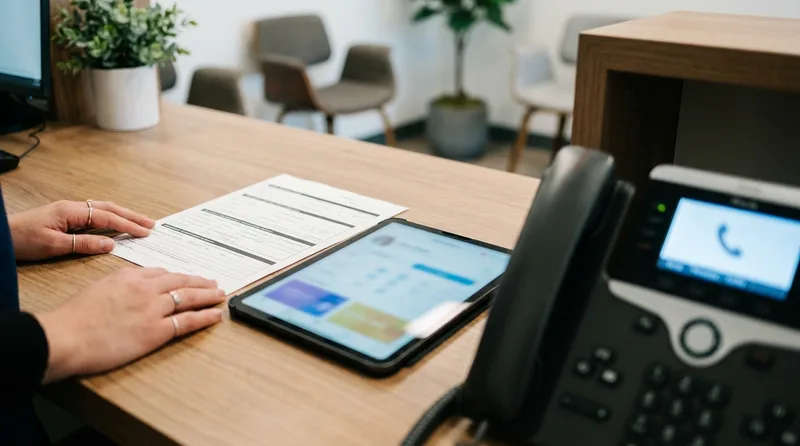
The pull toward the phone makes sense. Industry benchmarks quoted by Dental Economics put missed calls at 30% to 38% during business hours, and the author assumes 60% to 65% of those calls involve new patients. Nobody wants to be the person who let a new patient ring out.
Why are insurance details and forms the first casualties?
Insurance details are the most fragile data at the counter. They're long strings of digits, they get read aloud, and they're usually typed while a patient waits. One interruption and a field gets skipped or a number gets transposed. That can mean rework later, when a claim or a benefit check doesn't match.
What does the research say about interruptions and errors?
Healthcare research points the same way. In a BMJ Quality & Safety observation study, researchers shadowed 36 emergency physicians for 120 hours. Error rates rose significantly when physicians were interrupted or multitasked while prescribing. A dental desk isn't an emergency department. The mechanism is the same, though: a person switches mid-task and the task suffers.
There's a second casualty on the other end of the line. A rushed "please hold" is part of what callers hear when your front desk is stretched. If these slips sound familiar, our guide to seven signs a dental front desk is overwhelmed helps you spot them early.
Which tasks can be separated by channel?
Most front desk work splits into three channels: in-person, phone, and back-office. Anything that needs a person's face stays at the counter. Anything that arrives by call goes to a phone owner. Anything that can wait for a quiet window moves to the back office.
Separating by channel is simpler than writing a long to-do list. Each task has one natural home, so nobody has to decide in the moment who owns what. That one change removes a lot of the friction that makes dual duty feel chaotic.
Which tasks are worth separating first?
- Reviewing intake forms and confirming details at the counter
- Checking benefits and verifying insurance before the visit
- Taking copays and printing receipts
- Answering new patient and scheduling calls
- Returning voicemails and missed-call callbacks
- Sending confirmations and recall reminders, which can run on a schedule instead of on demand
What does the split look like in practice?
The table below shows one way to divide the work. Adjust it to your schedule, your team size, and your busiest hours.
| Channel | Typical tasks | Who owns it |
|---|---|---|
| In-person (counter) | Greeting, check-in, form review, copays, patient questions, walking the patient back | The person at the counter, with no phone duty during active check-in |
| Phone | New patient inquiries, hours and directions, confirmations, reschedules, insurance-acceptance questions | A named phone owner, a second team member, or call support |
| Back-office | Benefit checks, billing statements, recall lists, voicemail callbacks, schedule-gap outreach | Whoever is free in a quiet window, scheduled on purpose |
Call overflow is the phone-side version of this problem, and our guide to handling dental call overflow without more staff covers routing once you've split the channels. Even a two-person desk benefits. One person owns the counter until check-in ends, and the other owns the phone and the back-office list.
Related: Weighing in-house coverage against a service or AI? This comparison lays out the trade-offs for each model. Compare dental phone coverage models →
How do you set a phone-versus-counter rule for dental front desk multitasking?
Set a rule that gives the counter priority, names a phone owner, and defines when an urgent call interrupts. Write it as numbered steps, post it at the desk, and review it weekly. A clear rule removes the in-the-moment decision that causes most dropped details.

Rules work when they're short. A team that has to remember eight exceptions will ignore all eight by Wednesday. Test yours during your busiest hour.
What does a handoff rule look like?
- Name the counter owner and the phone owner at the start of every shift.
- Counter first: finish the current step before touching the phone.
- Route routine calls to the phone owner, a second team member, or call support.
- For an urgent call, say a short pause line to the patient, answer, and return fast.
- Hand off every call with three facts: who called, what they need, and by when.
- Review the day's handoffs in a two-minute huddle before closing.
What happens when the phone rings mid-check-in?
The flow below turns the rule into a quick decision path you can tape near the phone.
Decision flow: the phone rings while a patient is at the counter
Illustrative flow for a practice with a second team member or call support available.
Why should every handoff look the same?
The Agency for Healthcare Research and Quality (AHRQ) PSNet primer on clinical handoffs, written for hospitals, says safe handoffs rely on standardized steps and a setting with few interruptions. A dental front desk isn't a hospital ward, but the lesson carries over: give every handoff the same three facts. Our guide to the AI receptionist staff handoff workflow shows what a clean escalation looks like.
Review the rule with your team every few weeks. The American Dental Association (ADA) practice management resources include material on managing dental staff, which helps when you assign channel owners.
Cover the phone without pulling someone off the counter
See how a 24/7 virtual receptionist handles routine calls and passes the rest to your team.
Explore virtual receptionist coverage →How does AI call support share the load?
AI call support answers routine calls so the person at the counter can stay with the patient in front of them. It answers common questions, takes appointment requests, and passes urgent or complex calls to your team with a summary. It supports your staff and does not replace them.
Think of AI call support such as DentiVoice as a second phone owner who never gets pulled into check-in. Routine calls such as hours, directions, and confirmations are short, frequent, and predictable. They're also the calls most likely to interrupt a patient at the counter. Moving them off the desk shrinks the number of collisions. With 30% to 38% of calls reported missed during business hours, that coverage matters for callers too.
What stays with your team?
People still handle check-in, urgent situations, and anything that needs judgment or empathy. Your staff stay in control of every handoff, and the summary tells them what the caller already said. Our overview of how dental AI receptionists improve front desk operations walks through that division of work, and how a dental AI assistant supports your team covers how staff usually react.
How should you start?
Start small. Pick one routine call type, such as hours and directions, and route only that. Watch it for two weeks. If the counter feels calmer and callers still reach your team when they need to, add the next call type. A slow rollout earns trust from staff and lets you fix gaps while the stakes are low.
Dental front desk multitasking won't go away because you ask the team to try harder. It goes away when each channel has an owner and each handoff has a rule. Start with one change this week: name tomorrow's phone owner before the morning check-in rush.
Then look at which routine calls could move off the desk entirely. Small changes like these add up quickly.
Give your front desk room to focus on the patient in front of them
Browse practical guides on AI call support, handoffs, and phone coverage for dental teams.
Explore AI receptionist guides →Want more ways to lighten the load on your team?
Read practice management guides →Frequently Asked Questions
Not by default. Let the person at the counter finish the current step, then route the call to a second team member or call support. Urgent calls are the exception, and a short pause line keeps the patient informed while you answer.
Routine calls cause the most interruption: hours, directions, confirmations, and insurance-acceptance questions. They're short, frequent, and predictable, so they're the natural first calls to move off the counter and onto a phone owner or call support.
Yes, but only with limits. A solo desk can work when call volume is low or routine calls route elsewhere. Past that point, one person covering both channels trades accuracy and patient attention for speed, and errors tend to follow.
A handoff rule is a written, repeatable step for passing a task from one person or channel to another. It names who owns the task, which details travel with it, and when the next person takes over, so nothing drops while someone is busy.
No. AI call support takes routine calls so your receptionist can focus on patients at the counter. People still handle check-in, urgent situations, and judgment calls, and your staff stay in control of every handoff.
Sources & References
- 1
- 2
- 3
- 4
- 5
Topics
Was this article helpful?
Written by
DentalBase Team
Expert dental industry content from the DentalBase team. We provide insights on practice management, marketing, compliance, and growth strategies for dental professionals.
