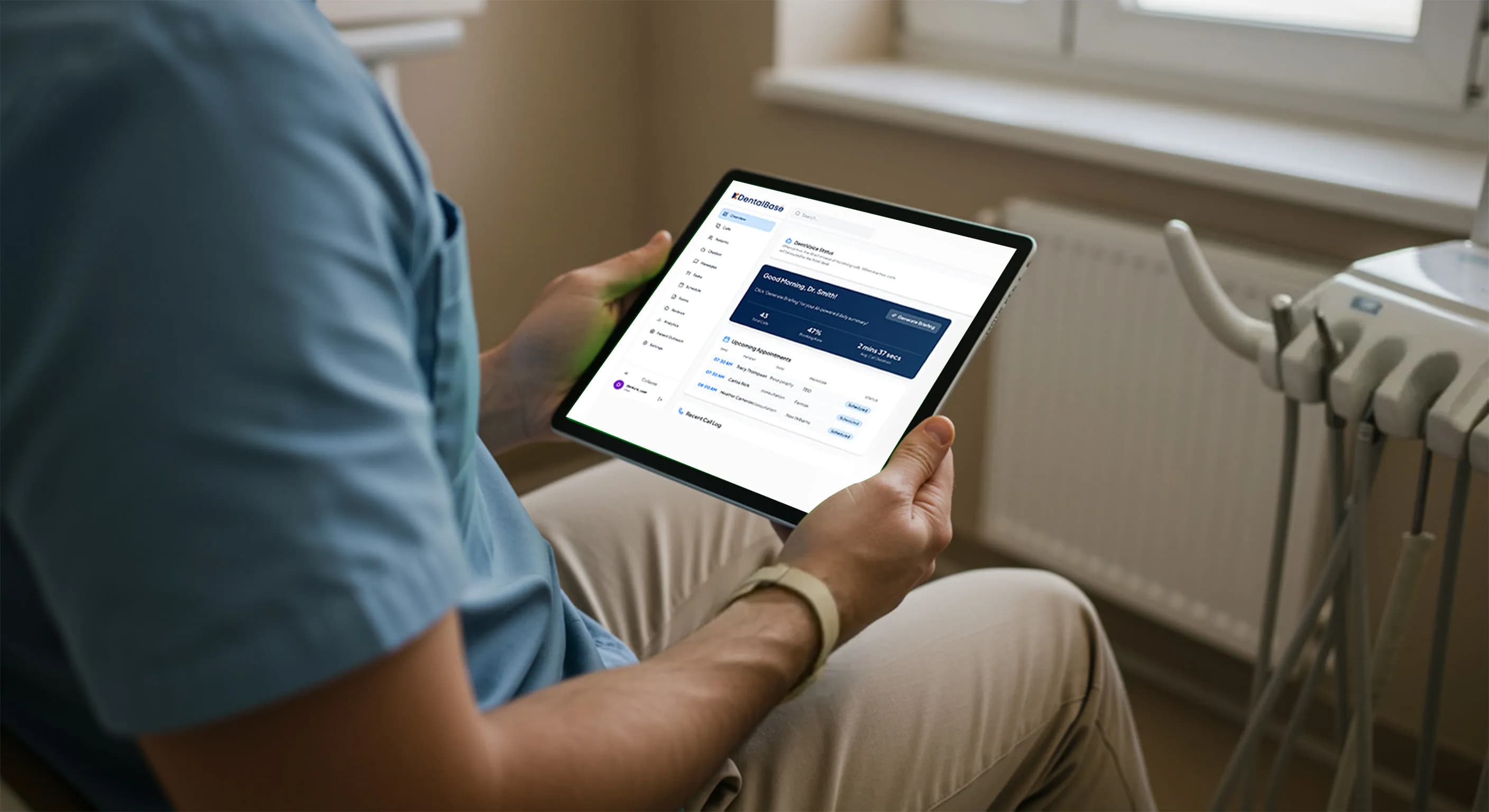
Dental Front Desk Automation: Reduce Overload Without Replacing Staff

Learn how dental front desk automation reduces overload, improves accuracy, and supports staff without replacing human teams.
Share:
Table of contents
Dental front desks are under constant pressure. Phones ring nonstop, patients arrive in person, schedules change by the minute, and staff are expected to manage everything with speed and accuracy. The result is often burnout, missed calls, and frustrated patients.
Dental front desk automation is not about replacing people. It’s about removing friction, reducing overload, and allowing staff to focus on what humans do best: personal care and in-clinic experience.
This article explains how automation supports not replaces your front desk team.
The Real Problem at the Dental Front Desk
Most dental practices don’t struggle because of poor staff performance. They struggle because the front desk is asked to do too much at once.
Front desk overload is rarely a people problem. It is a volume problem. When one or two team members absorb every call, every walk-in, and every insurance question at the same time, accuracy slips and stress climbs. Automation pulls the repetitive load off their plate so the human work gets the attention it deserves.
35%+
of inbound calls to a busy dental office can go unanswered during peak hours
3 min
average gap between rings during a busy morning, leaving no room for focused work
1 in 4
new-patient callers who hit voicemail never call back a second time
20-30%
of routine interruptions can be removed from staff workflows with automation
Related: If the phones never stop and your team is stretched thin, the warning signs usually show up long before anyone quits. See the 7 signs of an overwhelmed front desk →
Common challenges include:
-
High inbound call volume
-
After-hours appointment requests
-
Repetitive questions about hours, insurance, and services
-
Manual data entry and scheduling errors
-
Constant task switching
Automation addresses these issues at the workflow level, not the staffing level.
What Is Dental Front Desk Automation?
Dental front desk automation uses AI-driven tools to handle routine, repetitive, and high-volume tasks automatically, while keeping staff in control.
Dental front desk automation is software that handles routine, high-volume tasks like answering calls, booking appointments, and sending reminders, while keeping your team in control of every exception. Think of it as a tireless assistant that never puts a caller on hold. Most practices run it through an AI dental receptionist that picks up on the first ring and books straight into the schedule.
Automated systems can:
-
Answer inbound calls instantly
-
Schedule and reschedule appointments
-
Send confirmations and reminders
-
Capture patient information accurately
-
Route complex or sensitive calls to staff
The goal is balance not replacement.
What Automation Handles vs. What Staff Still Do
Tasks Ideal for Automation
-
New patient call intake
-
Appointment booking and confirmations
-
Recall and follow-up outreach
-
FAQs (hours, location, insurance basics)
-
After-hours call handling
Tasks Best Handled by Staff
-
In-person patient interactions
-
Complex billing or insurance discussions
-
Emotional or sensitive conversations
-
Case-specific clinical coordination
Automation absorbs volume, so staff can focus on quality.
Here is the simplest way to think about the split. Anything that repeats, automation can carry. Anything that needs a human voice, your team keeps. The table below maps the most common front desk tasks against that line.
| Task | Automation absorbs | Staff still own |
|---|---|---|
| New patient call intake | Captures name, reason, insurance, books the slot | Warm welcome and chairside rapport |
| Insurance questions | Answers basic coverage and network FAQs | Complex claims, appeals, payment plans |
| Scheduling and recalls | Books, reschedules, and confirms 24/7 | Sequencing complex treatment plans |
| After-hours requests | Answers, triages, and captures every lead | Same-day emergency clinical decisions |
| Sensitive conversations | Routes the call with full context attached | Empathy, reassurance, judgment calls |
Tired of the phone running your front desk?
See how an AI receptionist answers every call, books straight into your schedule, and hands the hard ones to your team.
See how DentiVoice works →How Dental Front Desk Automation Works in Practice
1. Calls Are Answered Immediately
Automation ensures that every call is answered, no hold music, no voicemail loops.
Impact:
-
Fewer missed opportunities
-
Improved first impression
-
Less pressure on staff during peak hours
2. AI Handles Routine Conversations
Using natural language understanding, automated systems respond conversationally to common requests.
Patients can:
-
Book or reschedule appointments
-
Ask basic questions
-
Leave detailed messages
This removes repetitive interruptions from staff workflows.
3. Seamless Scheduling and Data Capture
Automation connects with practice management systems to:
-
Check real-time availability
-
Avoid double bookings
-
Enter patient data accurately
This reduces manual errors and follow-up work.
4. Smart Escalation to Staff
When a call requires human attention, it’s routed with context already captured.
Staff receive:
-
Patient name and reason for calling
-
Appointment history or issue summary
This saves time and improves response quality.
Related: Sending after-hours callers to voicemail quietly costs practices new patients every week. Read why voicemail loses patients →
Why Automation Does Not Replace Dental Staff
A common concern is that automation will make front desk roles obsolete. In reality, the opposite happens.
Practices using dental front desk automation often see:
-
Lower staff stress and turnover
-
Improved patient satisfaction
-
More meaningful staff, patient interactions
Automation removes chaos not people.
Lower stress and turnover are not side effects; they are the point. How AI reduces dental front desk burnout specifically looks at that staff-wellbeing case in more depth.
How Much Does Front Desk Overload Actually Cost?
Front desk overload costs more than morale. Every missed call is a potential new patient who books somewhere else, and the lifetime value of a single dental patient often runs into the thousands. When you add lost recalls, scheduling errors, and turnover, the number climbs fast.
Run the math for your own practice. A three-provider office taking 200 calls a week that misses even 15% of them loses roughly 30 conversations every week. Some were existing patients rescheduling. But some were new patients ready to book, and those are the ones who do not call twice.
| Hidden cost | Staff-only front desk | Automation-assisted front desk |
|---|---|---|
| Call answer rate | Drops during peaks and lunch | Near 100%, including after hours |
| Missed new patients | Lost to voicemail and busy signals | Captured and booked automatically |
| Staff burnout | High, with constant task switching | Lower, with focused human work |
| Scaling cost | More volume means more hires | Scales without added headcount |
The point is not to assign a scary dollar figure. It is to see that overload leaks revenue in quiet ways. You can track exactly where, too. Call analytics show your answer rate, missed-call windows, and which call types eat the most time, so you automate the right things first.
Benefits of Dental Front Desk Automation
Operational Benefits
-
Higher call answer rates
-
Fewer scheduling errors
-
Consistent workflows across locations
Staff Benefits
-
Reduced burnout
-
Fewer interruptions
-
More control over the workday
Patient Benefits
-
Faster responses
-
Shorter wait times
-
Clear, consistent communication
When Is the Right Time to Automate?
Dental front desk automation is especially valuable if:
-
Calls frequently go unanswered
-
Staff feel overwhelmed during peak hours
-
Appointments are lost due to delays or errors
-
Growth is limited by front desk capacity
Automation scales with demand without increasing headcount.
How Do You Roll Out Automation Without Disrupting Your Team?
Start small, automate one workflow at a time, and let your team see the relief before you expand. The safest first step is after-hours and overflow calls, because nothing changes during the busy hours your staff already control. Once that proves itself, you layer in daytime overflow and recalls.
1. Map your highest-volume call types first
You cannot fix what you have not measured. Pull a week of call data and rank the reasons people call. Most practices find the top dental call types are scheduling, insurance questions, and recalls, which are exactly the tasks automation handles cleanly.
2. Automate after-hours and overflow before anything else
After-hours is the lowest-risk place to start. Your team is not on the phones, so there is no workflow to disrupt, and every captured lead is found money. Practices that answer calls after hours without hiring usually see booked appointments climb within the first month.
3. Connect it to your practice management software
Automation only saves time if it writes back to your schedule. A system that books appointments directly in your dental software removes the double entry that causes most front desk errors. Check real-time availability, avoid double bookings, and skip the manual cleanup.
4. Train staff on escalation, not replacement
Frame the rollout around what your team gains: fewer interruptions and more control. When a call needs a human, it arrives with context attached, so staff spend their energy on the conversation, not the lookup. This is the same logic behind a strong front office burnout prevention plan.
Is your front desk ready to automate?
Check each item that sounds like your practice.
Three or more checks usually means automation will pay for itself quickly.
Answer every call without adding a single hire
DentiVoice picks up on the first ring, books into your software, and routes the calls that need a human, with context already captured.
Book a DentiVoice demo →Is Dental Front Desk Automation Secure?
Yes. Enterprise-grade platforms are designed with:
-
Encrypted call and message data
-
Controlled access permissions
-
Healthcare-aligned privacy standards
Practices retain full control over rules, scripts, and escalation logic.
FAQ: Dental Front Desk Automation
Will patients know they’re speaking to automation?
Modern systems sound natural and conversational. Many patients simply experience faster service.
Can automation work alongside existing staff?
Yes. Automation is designed to integrate seamlessly and support current workflows.
Does automation work after hours?
Absolutely. After-hours automation captures leads, schedules appointments, and prevents missed opportunities.
How difficult is implementation?
Most platforms integrate quickly with minimal disruption and staff training.
Final Thoughts
Dental front desk automation is not about replacing people, it’s about protecting them from overload. By handling routine tasks consistently and efficiently, automation creates space for staff to deliver better care and better experiences.
For practices focused on sustainable growth and healthier teams, automation isn’t a threat. It’s a support system.
Give your front desk room to breathe
Let automation carry the repetitive calls so your team can do the work only people can do. See what a calmer, fully answered front desk looks like.
Start with DentiVoice →Frequently Asked Questions
Yes. Dental front desk automation is designed to handle simple requests quickly, but it escalates complex or sensitive issues to a real staff member, usually within the same call. This means you get faster service without losing access to human help when you need it.
Automation typically improves care by reducing wait times and errors. With routine scheduling and questions handled automatically, dental staff have more time to focus on in-person care and detailed patient concerns.
Absolutely. Many dental offices use automation to allow patients to book or reschedule appointments 24/7. This prevents missed opportunities and lets you manage visits without waiting for office hours.
Reputable dental automation platforms use encrypted data, controlled access, and healthcare-aligned privacy standards. Your information is protected similarly to other digital systems used by dental practices.
Most practices feel relief within the first week. Once automation absorbs after-hours and overflow calls, the phone interrupts staff less, and the morning rush feels far more manageable almost immediately.
Start with after-hours and overflow calls. It is the lowest-risk workflow because your team is not on the phones, so nothing changes during business hours while you capture every missed lead.
Yes. Quality platforms connect to common practice management systems to check real-time availability and write appointments back to your schedule, which removes the double entry that causes most scheduling errors.
Topics
Was this article helpful?
Written by
DentalBase Team
Expert dental industry content from the DentalBase team. We provide insights on practice management, marketing, compliance, and growth strategies for dental professionals.