How to Automate Dental Appointment Scheduling (Step-by-Step)
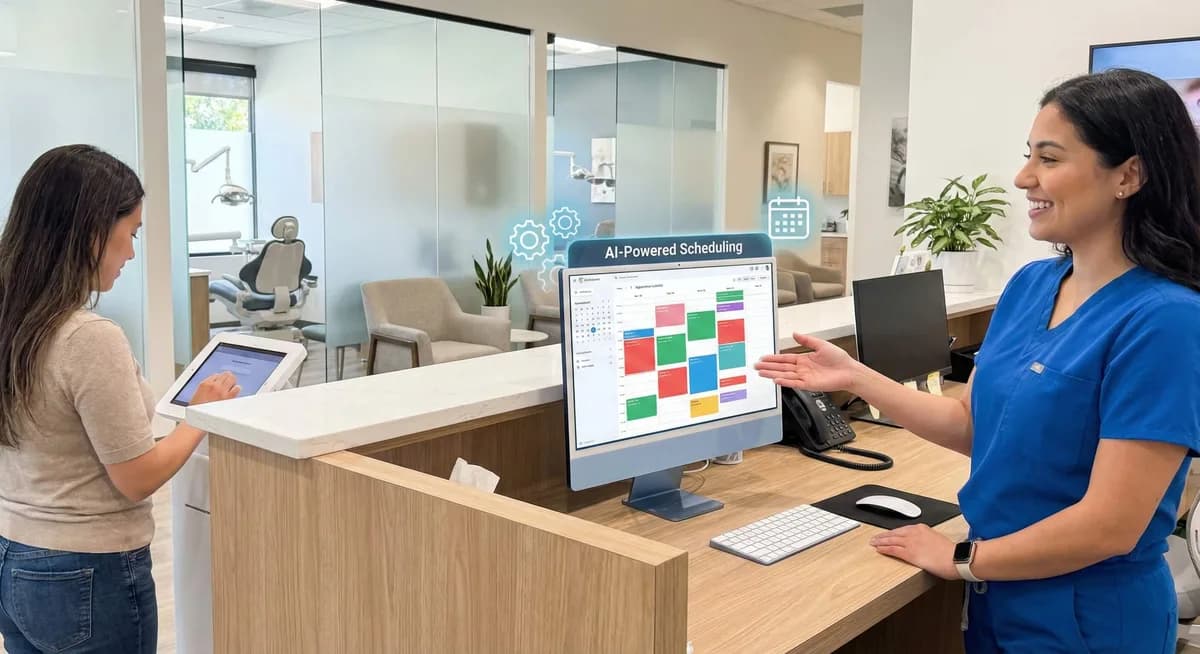
Automate dental appointment scheduling with the right scheduling software: setup steps, HIPAA compliance, and staff training tips for modern practices.
Share:
Table of contents
Introduction
Dental practices face growing pressure to give patients great care while juggling more paperwork than ever. The average practice handles 150-200 appointments a week, and manual scheduling can quickly overwhelm front-desk staff. Many practices solve this by choosing to automate dental appointment scheduling: using software that books, reminds, and reschedules patients automatically.
Why Manual Scheduling Falls Behind
Automated scheduling systems give practices a clear, modern way to manage bookings without hiring more staff.
What This Guide Covers
This guide covers everything you need to know about automated scheduling for your practice. You'll learn the core pieces and the practical setup steps. Along the way, you'll see how to stay HIPAA compliant while keeping the personal touch patients expect.
What Is Automated Dental Appointment Scheduling?
Automated dental appointment scheduling uses technology to handle booking, rescheduling, and cancellations without staff picking up the phone. These systems connect to your practice management software, so they always show real-time availability and patient records.
Core Components of Automated Scheduling
The core pieces of automated scheduling are:
- Online booking portals where patients see open time slots
- SMS and email confirmations that cut no-show rates
- Smart routing that matches appointments to the right provider and treatment type
- Waitlist management and automatic reminder sequences
For a closer look at which confirmation tools handle this reliably, see the automated appointment confirmation tools guide.
What Automation Does (and Doesn't) Replace
Automation is great at routine scheduling, basic messages, and calendar upkeep. But it can't replace the clinical judgment complex treatment planning needs. It also can't offer the empathy a sensitive patient concern calls for. The goal isn't to remove staff from scheduling; it's to free them up for the tasks that need a human touch.
The most effective setups create a hybrid model. Technology handles routine admin work, and staff focus on patient care, insurance coordination, and clinical support that affects treatment outcomes.
What Are the Key Benefits of Automating Dental Scheduling?
Automating scheduling brings three clear wins: fewer no-shows, less front-desk workload, and 24/7 booking for patients. All of it runs under a signed Business Associate Agreement for HIPAA compliance. Practices that use dental scheduling software typically cut scheduling calls by 40-60% and cut no-shows by 25-35% within a few months.
Choosing to automate dental appointment scheduling pays off for both your operations and your patients' experience. Knowing these benefits helps you decide what to set up first.
Operational Benefits for Staff
Automated scheduling cuts the front-desk workload a lot. Instead of spending hours a day on phone calls for basic appointment requests, staff can spend that time elsewhere. That means more focus on insurance pre-authorizations, treatment coordination, and patient support. Studies show practices that automate scheduling cut scheduling-related phone calls by 40-60%, so existing staff can handle more patients without adding headcount. Automated systems also cut common errors like double-booking or wrong time zones, so staff spend less time untangling conflicts.
Patient-Facing Benefits
Patients increasingly want the convenience of booking online. 67% of healthcare consumers prefer booking online over the phone. Automated systems offer 24/7 booking, so patients can schedule whenever it suits them, not just during office hours. Automated reminders cut no-show rates by 25-35%, which protects revenue and keeps chairs filled. Patients also like getting instant confirmations and rescheduling minor appointments without calling in. All of this adds up to a smoother experience that builds loyalty.

The American Dental Association tracks this same pattern in its own practice guidance: see ADA guidance on managing cancellations for additional strategies practices use alongside automated reminders to reduce missed appointments. Reduced no-show rates also improve the return on investment timeline for practices weighing the cost of new scheduling technology, and research on patient comfort with automated communication shows most patients accept reminders and confirmations handled this way.
What Should You Look for in Dental Appointment Scheduling Software?
The right dental appointment software combines HIPAA-compliant security, real-time integration with your practice management system, and 24/7 patient self-service. All of it should be backed by a signed Business Associate Agreement. Miss any of these, and you get gaps that limit adoption and accuracy.
Must-Have Features Checklist
Compare vendors against this short checklist before signing a contract:
- HIPAA compliance with encryption, audit logs, and a signed Business Associate Agreement
- Two-way sync with your practice management system, such as Eaglesoft, Curve, Denticon, or Open Dental
- Automated SMS and email reminders to reduce no-shows
- Provider- and location-specific availability rules for multi-provider practices
- Waitlist management and self-service rescheduling for patients
Is Your Scheduling Software Ready? Self-Assessment
Check each item your current or prospective system already covers.
Your score: count your checks out of 5. Fewer than 4 usually means it is time to compare other dental appointment software options.
Return on Investment You Can Expect
Scheduling software that checks all five boxes typically pays for itself through fewer no-shows and reclaimed staff time within the first quarter of use. Practices bundling scheduling with a broader AI receptionist should also compare the AI dental receptionist cost and pricing guide to understand what is included at each tier.
Manual vs Automated Scheduling: What Actually Changes?
Automated scheduling changes three things. Patients book anytime instead of during office hours, staff enter far less data manually, and the system updates every calendar instantly. Manual booking took 3-5 minutes per appointment; automated booking takes 30-60 seconds.
Knowing how the two workflows differ helps practices prepare for the switch and set realistic expectations for staff and patients.
The Manual Scheduling Workflow
In manual scheduling, every request needs a staff member. Patients call during business hours. Staff checks availability across providers and treatment types, talks through options, books the appointment, and enters the details by hand. This takes 3-5 minutes per appointment and needs staff on hand during all business hours.
The Automated Scheduling Workflow
When practices automate dental appointment scheduling, the workflow changes a lot. Patients see open time slots through an online portal that syncs with the practice management system in real time. They pick their appointment type, provider, and time slot, and get an instant confirmation. The system blocks the time and updates every calendar on its own. None of that holds up unless you first document which procedure codes, durations, and columns belong to each appointment type, since the portal can only offer what the schedule defines.
Manual vs. Automated at a Glance
| Aspect | Manual Scheduling | Automated Scheduling |
|---|---|---|
| Availability | Business hours only | 24/7 online access |
| Average booking time | 3-5 minutes | 30-60 seconds |
| Staff involvement | Required for each appointment | Automated for routine appointments |
| Error rate | 5-8% human error rate | Less than 1% system errors |
This frees up staff time, shifting it from reactive booking to proactive patient care coordination and clinical support.
A peer-reviewed study on predicting dental appointment no-shows found that scheduling data, such as appointment type and patient history, can flag which visits are most likely to be missed, giving automated systems a way to intervene earlier with targeted reminders.
How Does Automation Fit Into Front-Desk Operations?
Automation fits into front-desk operations by handling routine bookings and confirmations automatically while staff review flagged exceptions each morning. Front-desk teams shift from answering every call to monitoring system performance and handling the appointments automation cannot resolve on its own.
Automation works well when it fits your existing front-desk workflow instead of upending it. The goal is a smooth operation where technology handles routine tasks and staff focus on complex patient needs.
Day-to-Day Workflow Integration
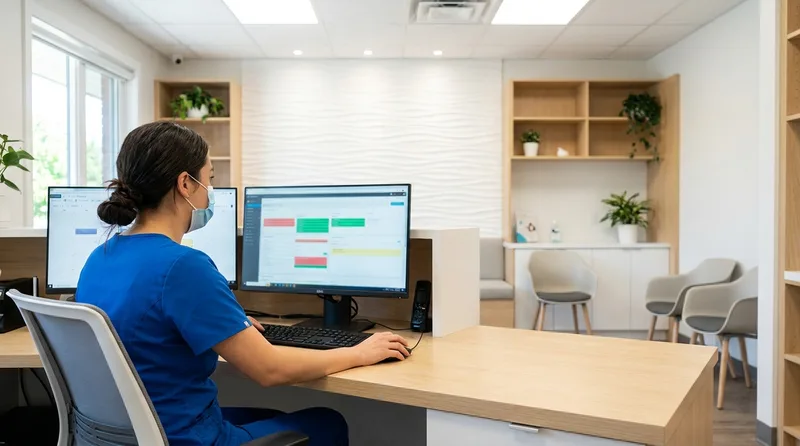
Automated scheduling fits into the daily workflow at a few key points. Front-desk staff start each day by reviewing overnight bookings and confirmations. They handle any flagged appointments, like first-time patients or complex treatment bookings. Throughout the day, staff keep an eye on the system and step in for anything outside the automation rules. This quality-control layer makes sure patients are covered while automation still does most of the work.
Realistic Staff Involvement
Automation handles routine scheduling, but staff are still essential for sensitive patient interactions. Complex treatment planning, urgent care requests, and sensitive concerns need human judgment and empathy. Staff also track patient communication preferences, manage special accommodations, and coordinate multi-provider appointments that go beyond what the system can handle.
The most successful practices set clear rules for when automation handles a booking and when a staff member should step in. This keeps service quality high while keeping operations efficient. It also lets staff focus on high-value work like insurance coordination, treatment planning support, and building patient relationships instead of routine admin tasks.
The American Dental Association has reported that AI-driven virtual assistants are increasingly used across dental practices to handle appointment scheduling, patient communication, and billing, reflecting the same front-desk shift described here. Practices scaling across multiple providers can review a dedicated multi-provider scaling guide for configuration tips specific to larger teams.
How Do You Automate Dental Appointment Scheduling Step by Step?
You automate dental appointment scheduling in five steps: assess current needs, select HIPAA-compliant scheduling software, configure availability rules, train staff, then monitor results. Most practices complete the full rollout in two to four weeks with proper planning, following a structured setup checklist to stay on schedule.
What to Expect Before You Start
Setting up automated scheduling works well with a clear, step-by-step approach so both staff and patients adopt it well. Follow these steps to automate dental appointment scheduling in your practice.
The 5-Step Implementation Process
- Step 1: Assess Practice Needs Look at your current scheduling patterns, peak booking times, and most common appointment types. Note which appointments need special coordination and which follow standard steps. This helps you set automation rules and spot where staff still need to be involved.
- Step 2: Select Scheduling Software Choose a HIPAA-compliant system that works with your existing practice management software. Check for online booking portals, automated reminders, waitlist management, and reporting. Make sure it can handle your specific appointment types and provider rules.
- Step 3: Configure Rules and Availability Set up automation rules that match your practice's scheduling policies. Define time slots, appointment durations, buffer times between appointments, and provider-specific availability. Set your reminder sequences and cancellation policies too. Many practices write out a documented scheduling rulebook covering procedure codes, buffers, and column assignments before touching this screen, so setup becomes transcription rather than decision-making.
- Step 4: Train Staff Train staff on system basics, common troubleshooting, and when to step in manually. Staff should know how to override automated settings and use reporting features to check performance. A staff handoff workflow guide can help define exactly when a system should hand off to a person.
- Step 5: Monitor and Optimize Track booking completion rates, no-show percentages, and patient satisfaction. Use that data to refine your rules and improve performance. Regular tuning keeps the system meeting practice and patient needs as they change, and a routine call quality monitoring process keeps standards consistent.
Is Automated Dental Scheduling HIPAA Compliant and Secure?
Automated dental scheduling is HIPAA compliant when the software encrypts patient data in transit and at rest, logs every access event, and operates under a signed Business Associate Agreement. Practices should confirm these safeguards before trusting any vendor with patient information. For a hygiene-specific checklist, see this breakdown of hygiene scheduling software features and trade-offs.
When dental practices automate dental appointment scheduling, protecting patient data is critical. Knowing these requirements helps confirm your system meets healthcare standards.
A HIPAA-compliant scheduling system needs to cover four things:
- Data protection: encrypt protected health information (PHI) both in storage and in transit, and use encrypted channels for every patient message, whether it comes through the online portal or an automated text or email.
- Encryption standards: look for AES-256 encryption on stored data and TLS 1.2 or higher for data in transit.
- Access controls: only authorized staff should view or change scheduling data, with strong passwords, multi-factor authentication where possible, and role-based permissions.
- Audit logs: the system should record who accessed patient information and when, so the documentation is ready for compliance reporting.
Before signing with a vendor, check their security certifications and business associate agreement (BAA). Ask about SOC 2 compliance, regular security audits, data retention rules, and incident response plans.
Real-World Examples of Automated Dental Scheduling
Seeing how different practice types have set up automated scheduling can guide your own decisions and set realistic expectations.
Single-Location General Practice Example
Dr. Sarah Martinez's family dental practice in suburban Phoenix set up automated scheduling to handle growing patient demand without expanding front-desk hours. The system handles routine cleanings, exams, and simple restorative appointments on its own, and routes complex cases to staff. Patients can book cleanings up to six months out, and reminders start automatically one week before each appointment.
After six months: scheduling-related phone calls dropped 35%, no-shows fell 28%, and off-hours bookings rose 15%. Staff time that used to go toward routine scheduling now goes toward insurance pre-authorizations and patient education. Patient satisfaction scores also rose thanks to easy online booking and consistent reminders.
Multi-Provider Practice Example
Oakwood Dental Associates, a six-provider general and cosmetic practice, needed to coordinate complex scheduling across specialists and treatment coordinators. Their system handles provider-specific availability, appointment types, and prerequisites for specialty procedures. It routes initial consultations to the right specialist and manages follow-up sequences for multi-visit treatments on its own.
Setup wasn't trivial: it took time to configure complex scheduling rules and train staff across specialties. But the practice now manages 40% more appointments with the same admin staff. The system's reports help managers fine-tune provider schedules and spot booking trends that inform staffing and capacity decisions related to patient information.
Results at a Glance
| Practice | Result |
|---|---|
| Single-location (Dr. Martinez) | 35% fewer scheduling calls, 28% fewer no-shows, 15% more off-hours bookings |
| Multi-provider (Oakwood Dental Associates) | 40% more appointments managed with the same admin staff |
Common Challenges and How to Address Them
Practices that automate scheduling tend to run into the same few challenges. Good planning and a gradual rollout can handle all of them.
Patient adoption is usually the first hurdle. Some patients, especially older ones, prefer phone booking. Keep both options open during the transition. Have staff gently point patients toward online booking by showing them how easy it is during office visits.
Edge cases outside the automation rules need clear protocols for staff to step in. Complex treatment sequences, urgent appointments, and special accommodation requests all need human judgment. The practices that handle this well set clear criteria for when to go manual, and train staff to spot those cases.
Staff resistance usually comes from worries about job security or a complicated new system. Thorough training helps, especially when it makes clear that automation supports staff rather than replacing them. Involving experienced staff in setting up the rules also puts their scheduling know-how to good use.
System limitations show up once you realize automation rules can't cover every scenario. The fix is accepting that automation will handle 70-80% of appointments while staff handle the rest. This hybrid approach keeps efficiency high without sacrificing service for complex patient needs. Regular tuning based on usage patterns can expand automation's coverage over time.
Conclusion
The Bottom Line
Choosing to automate dental appointment scheduling is a smart investment in practice efficiency and patient satisfaction. The key is remembering that automation supports staff, not replaces them. The most effective systems split the work this way: technology handles routine admin tasks, and experienced staff focus on complex patient needs and clinical support.
The keys to a good rollout: assess your needs carefully, choose the right system, train staff well, and keep tuning based on performance. HIPAA compliance and data security should stay a priority throughout, so patient information stays protected while access to care improves.
Real-world examples show that practices of any size can automate scheduling and see real results: less admin burden, happier patients, and more efficient booking. Common challenges like patient adoption and staff resistance are manageable with a gradual rollout and good change management.
Getting Started
Healthcare keeps moving toward more automation and digital patient engagement. Practices that get ahead of it are better positioned to meet changing patient expectations and run more efficiently. Start by reviewing your current scheduling process, then pick a HIPAA-compliant system that works with your practice management software.
A good rollout takes time and patience. Support your staff through the transition, and keep the high-quality patient care that defines your practice. With proper planning, automated scheduling becomes a powerful tool that strengthens your practice and improves the patient experience.
Automated scheduling only holds up if the lab case behind that appointment actually shows up on time. A dental lab communication workflow keeps case status and delivery window calls from slipping through the same cracks.
Automation handles the routine bookings, but it should also catch the openings that slip through. Always-on booking that fills chairs outside office hours is a natural companion, and for the cancellations that still happen, filling schedule gaps before they cost a full chair covers how to recover that lost time.
Once scheduling is automated, the natural next question is whether AI can complete the booking itself from start to finish. See exactly how an AI receptionist books appointments directly into dental practice software.
Automated scheduling is one lever for handling growth. See the other ways dental practices scale the front desk without overloading staff.
Ready to Automate Your Dental Appointment Scheduling?
See how DentiVoice handles scheduling, reminders, and rescheduling automatically, so your front desk can focus on patients instead of the phone.
Explore DentiVoice →Frequently Asked Questions
Automated dental scheduling uses software that integrates with your practice management system to allow patients to book appointments online 24/7. The system shows real-time availability, sends automatic confirmations and reminders via text or email, and can handle rescheduling requests. Patients access a booking portal through your website where they select preferred dates, times, and appointment types based on your predefined availability rules.
Yes, automated appointment scheduling can be HIPAA compliant when you choose systems that include proper security measures like encryption, secure data transmission, and signed Business Associate Agreements (BAAs). The system must protect patient health information and allow patients to consent to their preferred communication methods. Always verify that your chosen scheduling software meets HIPAA requirements and maintains audit trails.
Automation enhances but doesn't fully replace dental receptionists. While automated systems handle routine scheduling tasks, appointment confirmations, and basic inquiries 24/7, receptionists remain essential for complex scheduling needs, insurance verification, patient concerns, and providing personalized customer service. Automation frees up reception staff to focus on higher-value activities like patient care coordination and relationship building.
Automated scheduling cuts no-shows by sending timed text and email reminders before each visit, letting patients confirm or reschedule in one tap. Real-time PMS sync keeps the calendar accurate, so freed slots reopen automatically and last-minute gaps get filled faster.
Yes. Patients can reschedule themselves through a self-service link in their confirmation or reminder message. The system shows live availability, applies your booking rules, and updates the practice management system instantly, so no front-desk call is needed and the open slot becomes available to others.
Most automated scheduling tools sync directly with practice management systems like Eaglesoft, Curve, Denticon, and Open Dental. Two-way sync writes new bookings, confirmations, and cancellations back to your PMS in real time, preventing double-bookings and keeping every location working from one accurate calendar.
The most important features are HIPAA compliance, real-time two-way sync with your practice management system, automated reminders, and 24/7 online booking. Waitlist management and provider-specific availability rules also matter for multi-provider practices.
The right scheduling software depends on practice size and existing systems, but strong options integrate directly with your practice management software, support HIPAA-compliant reminders, and offer patient self-scheduling. Compare a shortlist against your specific workflow before choosing one.
Sources & References
- 1
- 2
- 3
- 4
- 5
- 6
Was this article helpful?
Written by
DentalBase Team
Expert dental industry content from the DentalBase team. We provide insights on practice management, marketing, compliance, and growth strategies for dental professionals.