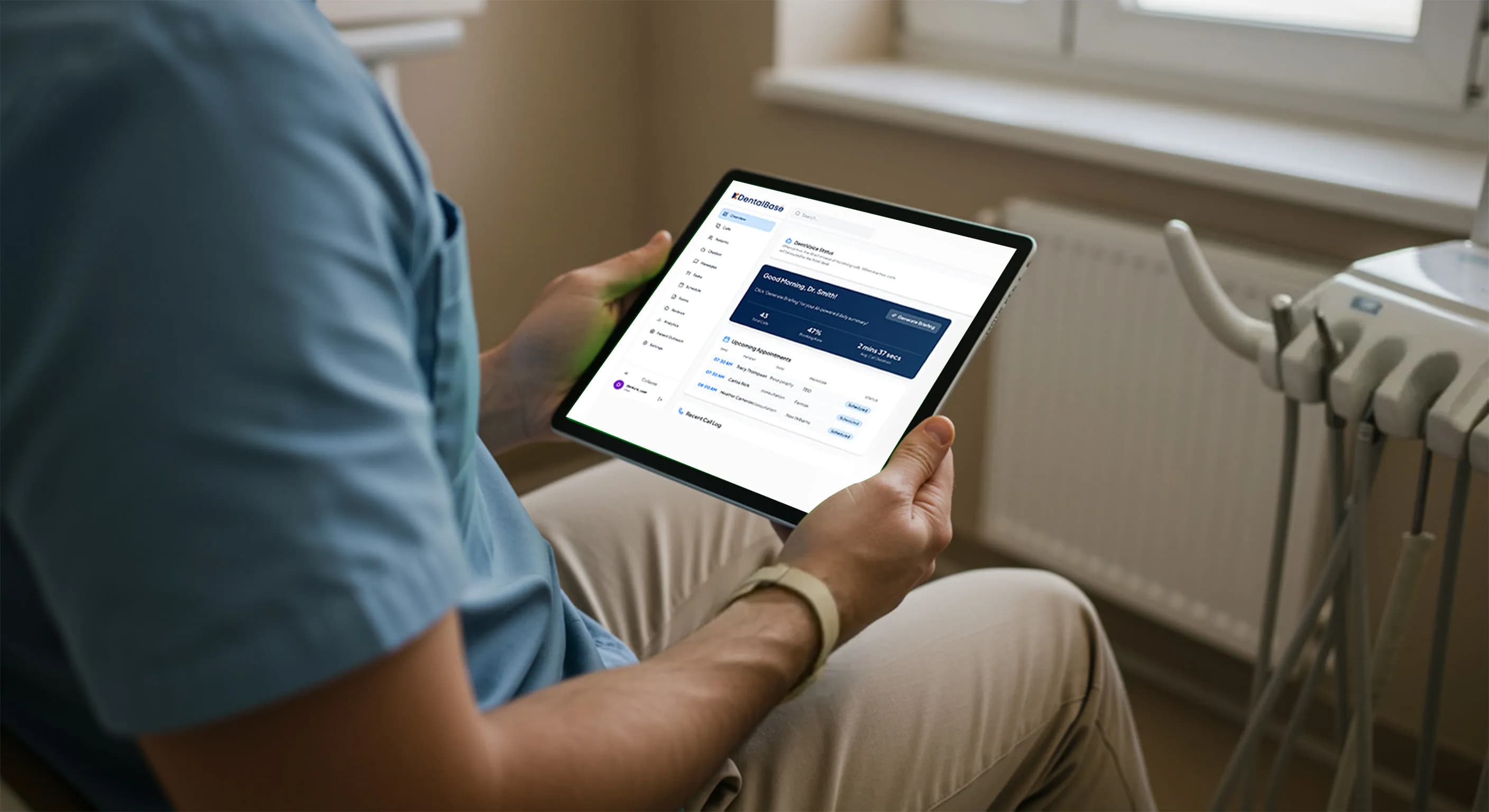
AI Receptionist Solutions for Dental Practices in 2026
Compare AI receptionist solutions for dental practices. Learn what to evaluate, what features matter, and how to pick the right fit for your office in 2026.
Share:
Table of contents
AI receptionist solutions for dental practices are changing how offices handle patient calls, and the shift is accelerating fast. A 2024 ADA practice management report found that 34% of new patient calls to dental offices go unanswered during business hours. Most of those callers don't leave a voicemail. They call the next practice on Google instead.
That's the problem these tools solve. But the market has grown quickly, and not every AI receptionist solution works the same way. Some handle scheduling in real time. Others just take messages. The gap between those two categories is enormous when it comes to actual revenue impact on your practice.
This guide breaks down what AI receptionist solutions for dental practices actually do, what separates a good one from a bad one, and how to pick the right fit for your office in 2026.
What Are AI Receptionist Solutions for Dental Practices?
AI receptionist solutions for dental practices are voice-driven tools that answer patient phone calls, respond to scheduling requests, and handle routine front desk tasks without requiring a human to pick up. They go well beyond what a voicemail system or basic chatbot can do.
The core idea is simple. When a patient calls your office and no one is available, the AI picks up, engages in a natural conversation, and takes action. Depending on the platform, that action could be booking an appointment directly into your practice management software, collecting intake information, answering common questions about your hours or services, or routing urgent calls to the right person.
Here's the thing. Not all of these tools are equal. Some AI receptionist platforms are essentially glorified IVR menus with a friendlier voice. Others are full conversational agents that connect to systems like Dentrix, Eaglesoft, or Open Dental and make real-time scheduling decisions. The difference matters because a patient who hears "I've booked you for Thursday at 2 PM" has a very different experience than one who hears "Someone will call you back." One converts. The other often doesn't.
If you've looked into traditional answering services versus AI receptionists, you already know the landscape is shifting. The question now isn't whether AI receptionist solutions work. It's which type of solution matches your practice's actual workflow.
Related: For a deeper look at how these tools handle conversations from first ring to confirmed booking → Dental Call Handling AI Explained
Why Are Dental Practices Adopting AI Receptionist Tools in 2026?
Dental practices are turning to AI receptionist solutions because front desk teams can't keep up with call volume, and the cost of missed calls has become too visible to ignore. Several forces are pushing adoption at the same time.
Staffing is the biggest driver. The Dental Economics 2025 workforce survey reported that over 60% of dental practices struggled to hire or retain front desk staff in the previous 12 months. Turnover in administrative dental roles runs 30-40% annually in many markets. Every time a receptionist leaves, you're looking at weeks of training, inconsistent call handling, and missed revenue during the gap.
Then there's the missed call problem. A three-provider practice receiving 180-220 calls per week during peak hours simply can't answer every one. Phones ring while your team checks in patients, verifies insurance, and handles walk-ins. The ADA's data on unanswered calls isn't surprising when you look at what front desk staff are actually juggling. And each missed new patient call represents $800-1,200 in first-year production value, according to industry benchmarks tracked by Dentistry Today.
Patient expectations are shifting too. More than half of dental appointment searches happen outside business hours, according to Statista consumer behavior data. Patients want to call at 8 PM and get something done, not leave a message and hope for a callback tomorrow. AI receptionist solutions give your practice a live response at any hour without the cost of overnight staffing.
Cost pressure ties it all together. Hiring a full-time receptionist runs $35,000-$45,000 per year with benefits. An AI receptionist solution typically costs $300-$800 per month. The math isn't subtle.
Stop Losing Patients to Missed Calls
DentiVoice answers every call, books appointments in real time, and works with your existing practice management software.
See How It Works →What Features Should You Look for in a Dental AI Receptionist?
The features that separate a useful AI receptionist from a frustrating one come down to integration depth, conversation quality, and compliance. Not every platform checks all three boxes, so knowing what to prioritize saves you from expensive mistakes.
Practice Management Software Integration
This is the single most important feature. An AI receptionist that can't access your schedule in real time isn't really booking appointments. It's collecting requests. Look for direct, two-way integration with your PMS, whether that's Dentrix, Eaglesoft, Open Dental, CareStack, or Curve Dental. The AI should be able to read open appointment slots and write new bookings without your staff doing anything manually.
If you're evaluating this, our breakdown of how AI receptionists book into dental software covers the technical side in more detail.
Conversational Quality and Call Routing
The AI needs to sound like a real person, not a robot reading a script. Ask vendors for sample call recordings. Listen for how the system handles interruptions, unexpected questions, and callers who ramble. Good platforms adapt. Bad ones loop back to a menu.
Call routing logic matters just as much. Emergency calls, existing patient requests, and new patient inquiries should each follow a different path. If every call gets the same scripted response, you'll frustrate patients who need something specific.
HIPAA Compliance and Data Security
Any AI receptionist handling patient information needs to be HIPAA compliant. That means encrypted call recordings, a signed Business Associate Agreement (BAA), access controls on patient data, and clear policies on data retention. This isn't optional. If you're unsure what to check, our HIPAA compliance evaluation guide walks through the specific questions to ask.
Feature Comparison at a Glance
| Feature | Must-Have | Why It Matters |
|---|---|---|
| Real-time PMS scheduling | Yes | Converts callers to booked patients instantly |
| HIPAA compliance with BAA | Yes | Legal requirement for handling patient data |
| After-hours coverage | Yes | Captures the 50%+ of searches that happen outside office hours |
| Bilingual support | Depends on market | Critical in areas with large Spanish-speaking populations |
| Custom call routing | Yes | Emergencies, new patients, and existing patients need different handling |
| Call recording and analytics | Yes | Lets you audit quality and measure conversion rates |
Related: Comparing specific platforms? See our full breakdown → Top Dental AI Voice Receptionist Platforms in 2026
How Do AI Receptionist Solutions Integrate With Your Existing Systems?
Integration is where most AI receptionist solutions either prove their value or fall apart. The tool needs to connect with your practice management software, your phone system, and your team's daily workflow without creating extra steps.
PMS Integration: What Actually Happens
When a patient calls and the AI answers, the system needs to pull your live schedule, identify open slots that match the patient's request, and write the booking directly into your PMS. That requires API-level access to platforms like Dentrix, Eaglesoft, or Open Dental. Some AI solutions use screen-scraping or manual syncing instead of direct API connections. That approach creates lag, increases errors, and means your front desk still has to verify every booking the AI makes.
Ask vendors specifically: does the AI read and write to my PMS in real time, or does it create a task that my team processes later? The answer determines whether you're actually saving front desk time or just shifting it. For a practical walkthrough of how this works with specific systems, check our guides on Dentrix integration and Eaglesoft integration.
Phone System Compatibility
Most AI receptionist solutions work through call forwarding from your existing VoIP or landline system. The setup is usually straightforward: you configure your phone to forward unanswered calls (or all calls, depending on your preference) to the AI's number. Some platforms offer direct VoIP integration for tighter control over call routing. Our guide to dental call handling with VoIP, PMS, and AI covers the technical options.
Workflow Fit
The implementation question that matters most is this: does the AI handle calls independently, or does it create follow-up work? A good solution should reduce your team's phone burden by at least 40-60%. If your staff still needs to review and confirm every AI-booked appointment, you haven't saved much. Look for platforms where the AI only escalates calls it genuinely can't resolve, like complex insurance questions or clinical emergencies.
See How DentiVoice Connects to Your PMS
DentiVoice integrates directly with Dentrix, Eaglesoft, Open Dental, and more. No manual syncing. No extra steps for your team.
Book a Demo →What Does an AI Receptionist Solution Cost a Dental Practice?
AI receptionist pricing for dental practices typically falls between $200 and $900 per month, depending on the platform, call volume, and feature set. Understanding the pricing model matters just as much as the sticker price.
Common Pricing Models
Most vendors use one of three structures. Flat monthly fees give you a set number of calls or minutes included, with overage charges beyond that. Per-call pricing charges you for each interaction the AI handles, which can be unpredictable if your call volume spikes during busy seasons. Per-location pricing is common for multi-office practices and DSOs, where you pay a fixed rate for each site.
Watch for hidden costs. Some platforms charge extra for after-hours coverage, PMS integration, bilingual support, or call recording storage. Others bundle everything into one price. Get the total monthly cost for your specific setup before committing.
ROI Compared to Hiring
A full-time front desk employee costs $35,000-$45,000 per year in salary alone. Add benefits, training, and turnover costs, and you're looking at $45,000-$60,000 annually. An AI receptionist at $500 per month runs $6,000 per year. Even at the high end of $900 per month, that's $10,800, a fraction of a single hire.
But the real ROI calculation isn't just cost savings. It's revenue recovery. If your practice misses 15-20 new patient calls per month and each new patient generates $800-$1,200 in first-year production, you're losing $12,000-$24,000 monthly. An AI solution that captures even half of those calls pays for itself many times over. For tracking these numbers in your own practice, our KPIs and ROI measurement guide is a good starting point.
How to Evaluate the Right AI Receptionist for Your Practice
Choosing an AI receptionist solution requires testing it against your real-world conditions, not just reading feature lists on a website. Here's a practical approach that works whether you're a single-location practice or a growing DSO.
Run a Real Trial
Don't commit based on a sales demo. Ask for a trial period where the AI handles actual patient calls to your office. Listen to the recordings. Did the AI sound natural? Did it handle curveballs, like a patient asking about a specific procedure, or one who switched between English and Spanish mid-call? A polished demo environment tells you nothing about real performance.
Check the Compliance Documentation
Request the vendor's BAA before you sign anything. Ask where call recordings are stored, how long they're retained, who has access, and what happens to your data if you cancel. If the vendor hesitates on any of those questions, that's a red flag. HHS guidelines on covered entities apply to any technology partner handling patient information.
Talk to Current Customers
Ask the vendor for references from practices similar to yours in size and specialty. A platform that works well for a single-location general dentistry practice might struggle with the call routing needs of a multi-specialty group. Specific questions to ask references: how long did setup take, what percentage of calls does the AI resolve without staff involvement, and have patients complained about the experience?
Vendor Evaluation Checklist
- Direct PMS integration with your specific software (not "coming soon")
- Signed BAA and documented HIPAA compliance procedures
- Live call recordings from the trial, not pre-selected demos
- Transparent pricing with no hidden fees for core features
- Clear data ownership terms in the contract, including what happens at termination
- Dedicated support contact, not just a help desk ticket system
- Proven call resolution rate of 60% or higher without staff intervention
The AI receptionist market for dental practices is maturing quickly. That's good news because it means more competition, better features, and lower prices. But it also means more noise to sort through. The practices that benefit most from these tools are the ones that test rigorously, ask hard questions, and pick a solution that fits their actual workflow rather than chasing the longest feature list.
Your next step is straightforward. Pick two or three platforms that meet the criteria above, run real trials with each, and measure the results against the KPIs that matter: call answer rate, appointment conversion rate, and patient satisfaction scores. The data will tell you which solution belongs in your practice.
Ready to See What an AI Receptionist Can Do for Your Practice?
DentiVoice answers calls, books appointments, and integrates with your PMS. Try it with your real patients and measure the difference.
Get Started With DentiVoice →Want to See How Other Practices Made the Switch?
Read the Implementation Guide →Frequently Asked Questions
Most AI receptionist solutions for dental practices charge between $200 and $900 per month. Pricing depends on call volume, features included, and whether you need multi-location support. Some charge per call while others use flat monthly rates.
Yes, if the platform integrates directly with your practice management software. Solutions with API-level connections to Dentrix, Eaglesoft, or Open Dental can read your live schedule and write bookings instantly without staff involvement.
They should be, but not all are. Look for a signed Business Associate Agreement, encrypted call recordings, documented access controls, and clear data retention policies. Request compliance documentation before signing any contract.
Modern AI receptionist platforms use natural-sounding voices and conversational AI that handles interruptions and follow-up questions. Many patients don't notice, but practices should be transparent about using AI when asked directly.
Setup typically takes one to three weeks depending on the platform and your PMS. The process includes configuring call routing, connecting your practice management software, customizing the AI's responses, and running test calls before going live.
Good platforms include emergency call routing that identifies urgent situations and transfers the caller to the appropriate on-call provider or directs them to emergency services. The AI should never attempt to handle clinical emergencies on its own.
Yes. Many platforms offer per-location pricing and can manage separate schedules, call routing rules, and PMS connections for each office. DSOs with 10 or more locations often see the highest ROI from centralized AI call handling.
Sources & References
- 1
- 2
- 3
- 4
- 5
- 6
- 7
- 8
Topics
Was this article helpful?
Written by
DentalBase Team
Expert dental industry content from the DentalBase team. We provide insights on practice management, marketing, compliance, and growth strategies for dental professionals.