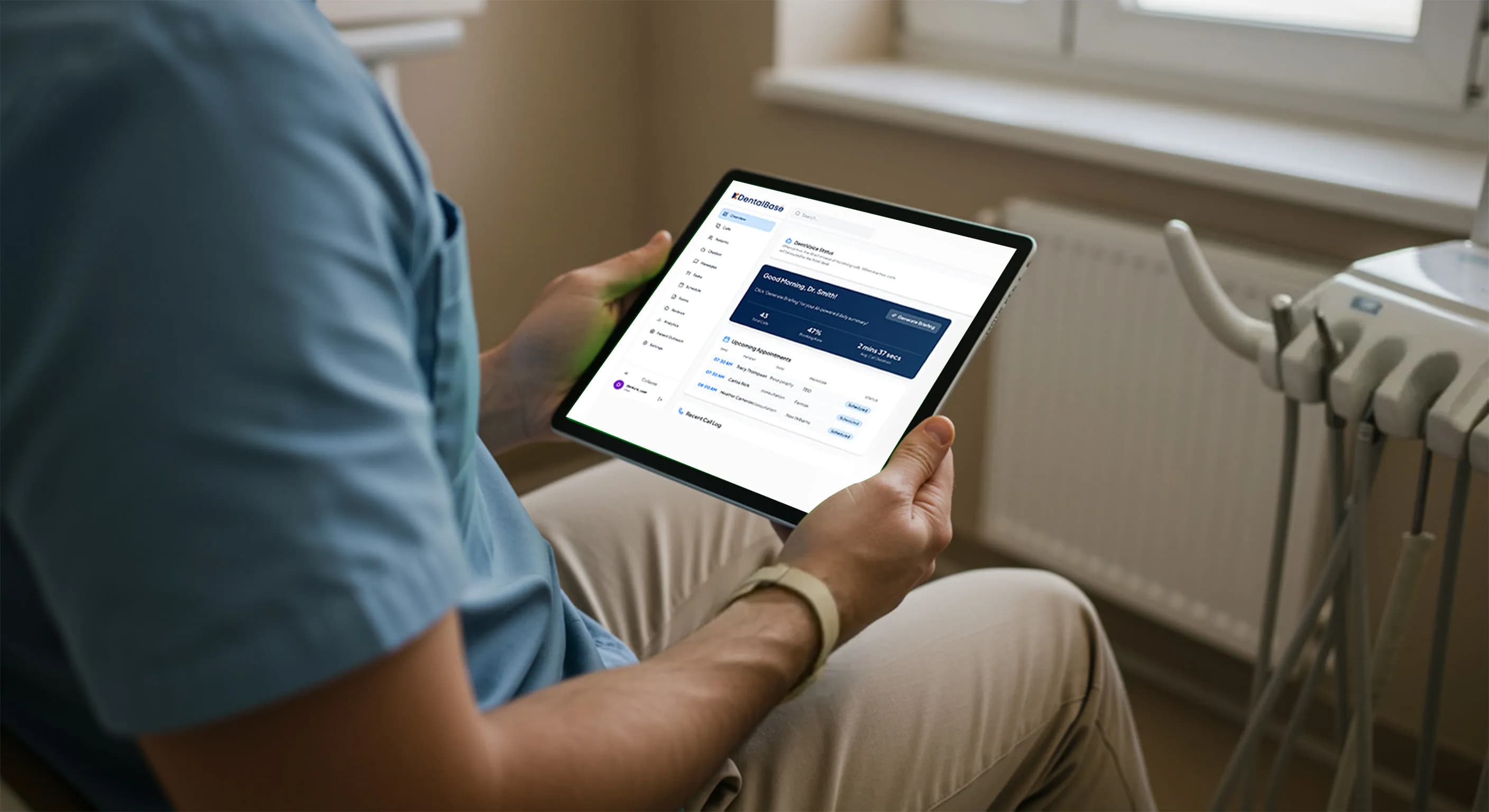
AI Receptionist for Dental Office: 30 FAQ Answered (2026)

Your AI receptionist dental office FAQ guide. 30 questions answered on scheduling, HIPAA compliance, cost, setup, ROI, and patient experience in 2026.
Share:
Table of contents
If you're reading this AI receptionist dental office FAQ, you've probably heard the pitch: an AI answers your phones, books appointments, and never calls in sick. Sounds great on a slide deck. But what does it actually look like inside a real dental practice with real patients, real insurance questions, and a front desk team that's already stretched thin?
That's what this guide covers. Thirty questions dental practice owners, office managers, and front desk coordinators are actually asking in 2026, with direct answers based on how the technology works today, not how someone hopes it'll work next year.
What Is an AI Receptionist for a Dental Office?
An AI receptionist for a dental office is a voice-based software system that answers inbound phone calls, understands what the patient needs, and responds conversationally. It can book appointments, answer common questions about hours and insurance, capture new patient details, and route complex calls to your team.
1. How does an AI receptionist actually work when a patient calls?
The AI picks up the call through your existing phone system, usually VoIP. It listens to the patient using natural language processing, identifies the reason for the call, and responds in a conversational voice. If the patient wants to book a cleaning, the AI checks your practice management system for open slots and confirms the appointment. The entire exchange typically takes two to four minutes.
There's no phone tree. No "press 1 for scheduling." The patient talks normally, and the system responds like a trained receptionist would. According to a Dental Economics report, practices that answer calls within 3 rings convert significantly more new patient inquiries than those that don't.
2. Is this the same thing as a chatbot on my website?
No. A chatbot handles text-based messages on a website or through SMS. An AI receptionist handles live phone calls using voice. The technology behind each is different. Voice AI requires real-time speech recognition, natural language understanding, and speech synthesis working simultaneously. Your website chatbot doesn't need any of that.
Some platforms offer both, but they serve different channels. Most dental patient inquiries still come through the phone, which is why the voice-based call handling side matters more for practices losing patients to missed calls. For a wider look at platforms that combine phone, text, and email in one system, see this overview of AI patient communication for dental practices. For a plain-language look at the trend behind the questions, read why more dental practices are choosing AI receptionists.
3. Can patients tell they're talking to AI?
It depends on the platform. Higher-quality systems trained specifically on dental conversations sound remarkably natural. They use appropriate pauses, acknowledge what the patient said, and don't sound robotic. Lower-quality generic systems? Patients notice within seconds.
A 2025 Statista survey found that 62% of consumers are comfortable interacting with AI for scheduling tasks when the experience feels responsive and accurate. The remaining 38% preferred human interaction regardless. That's why most dental AI systems include an escalation path to a human team member when needed.
4. What types of calls can an AI receptionist handle?
Routine scheduling, rescheduling, appointment confirmations, office hours and directions, basic insurance questions, and new patient intake. These five call types make up roughly 70-80% of inbound volume at a typical dental practice.
What it doesn't handle well: complex insurance disputes, emotional conversations with anxious patients, multi-appointment treatment plan discussions, and clinical questions that require a licensed provider's judgment. For those, the AI should transfer the call or flag it for follow-up. Read more about the benefits and limits of AI in patient communication.
5. How is this different from a traditional answering service?
A traditional answering service uses human operators who work from scripts. They take messages and pass them to your office the next morning. They rarely book directly into your PMS, and they don't know the difference between a prophy and a crown prep.
An AI receptionist books appointments in real time, accesses your live schedule, and is trained on dental terminology from day one. It also costs less, typically 60-80% less per month than a staffed answering service. For a side-by-side breakdown, see our AI receptionist vs. traditional answering service comparison.
| Factor | Traditional Answering Service | AI Receptionist |
|---|---|---|
| Monthly Cost | $500-$1,500 | $300-$800 |
| Books Into PMS | Rarely | Yes (Dentrix, Open Dental, Eaglesoft, Curve) |
| Dental Terminology | Low (generic scripts) | High (trained on dental workflows) |
| Hours Covered | 24/7 (message-taking only) | 24/7 (full scheduling + intake) |
| Simultaneous Calls | Limited by staff | Unlimited |
Want to see how it sounds on an actual call?
DentiVoice handles scheduling, patient questions, and after-hours calls for dental practices. Hear a live demo.
Explore DentiVoice →How Does an AI Receptionist Handle Scheduling and Appointments?
This AI receptionist dental office FAQ section covers the scheduling side, which is where most of the day-to-day value shows up. AI receptionists connect directly to your practice management software and book appointments in real time. They don't just take messages. They check provider availability, match appointment types to time blocks, and confirm the booking before the call ends.
6. Can an AI receptionist book directly into my PMS?
Yes, if the platform supports direct PMS integration. Systems built for dental, like DentiVoice, connect to Dentrix, Open Dental, Eaglesoft, and Curve Dental through encrypted API connections. The AI reads available time slots in real time and writes the appointment back into your schedule automatically.
Generic AI phone systems that aren't dental-specific usually can't do this. They'll take the patient's information and create a callback request instead, which defeats the purpose if your goal is reducing staff follow-up. Our guide on AI receptionist appointment booking into dental software covers the technical details.
7. What about appointment confirmations and reminders?
Most AI receptionist platforms include outbound capabilities: confirmation calls, SMS reminders, and follow-up messages. The AI doesn't just answer inbound calls. It proactively reaches out to patients 48 and 24 hours before their appointment, handles rescheduling requests in the confirmation conversation, and updates your PMS accordingly.
Practices using automated confirmations typically see no-show rates drop by 15-30%, according to data from the American Dental Association. Learn more in our automated dental appointment confirmations guide.
8. How does the AI handle scheduling conflicts or double bookings?
The AI reads your PMS schedule in real time, so it only offers slots that are actually available. If a provider is blocked for lunch, a staff meeting, or a procedure that runs longer than the default time block, those slots won't be offered to callers.
That said, edge cases exist. If two patients call at the exact same second for the same slot, most systems use a locking mechanism that reserves the slot for the first confirmed booking. The second caller gets offered the next available time. This is actually more reliable than a human receptionist working from a screen that might be a few minutes stale.
9. Can it handle new patient intake over the phone?
Yes. The AI collects name, date of birth, contact information, insurance details, reason for visit, and preferred appointment times. It then creates the patient record in your PMS or flags it for staff review before the appointment.
Specifically, the AI captures:
- Name and date of birth for record matching
- Contact phone and email for confirmations
- Insurance carrier and member ID for pre-verification
- Reason for visit (cleaning, pain, cosmetic consult)
- Preferred days and times for appointment matching
Some platforms go further by sending a follow-up text with a link to digital intake forms, so the patient arrives with paperwork already completed. That workflow is covered in our dental patient intake automation guide.
10. What happens with emergency calls?
Dental-specific AI receptionists are trained to recognize emergency language: "broken tooth," "severe pain," "swelling," "bleeding that won't stop." When the AI detects these keywords, it follows your practice's emergency protocol, either routing the call to an on-call provider, providing after-hours instructions, or escalating with an urgent notification to your team.
This matters because emergency callers are the least likely to leave a voicemail and the most likely to call a competitor if they don't reach someone immediately. It's one of the most common scenarios covered in any AI receptionist dental office FAQ, and for good reason.
Related: Learn how AI scheduling automation reduces manual work and keeps your calendar accurate. → How to Automate Dental Appointment Scheduling
Is an AI Receptionist HIPAA Compliant?
HIPAA compliance isn't a feature you can toggle on. It's an architecture decision that affects how the entire platform stores, transmits, and processes patient data. Not every AI receptionist on the market meets the standard, and this AI receptionist dental office FAQ wouldn't be complete without addressing it directly.
11. Are AI dental receptionists HIPAA compliant?
Some are. Some aren't. "AI receptionist" isn't a regulated product category, so any company can claim the label without meeting healthcare data standards. The ones built specifically for dental workflows, like DentiVoice, are designed with encryption, audit logging, role-based access, and Business Associate Agreements from the start.
General-purpose AI phone assistants repurposed for dental? Those are the ones you need to vet carefully. Check our HIPAA compliance evaluation guide for AI receptionists for the specific criteria to look at during vendor demos.
For the complete picture beyond HIPAA alone, training data, PMS fit, and support model, this guide on choosing the right AI receptionist for a dental office walks through the full vendor checklist.
12. Does the AI store patient information, and where?
Yes, the AI processes patient data during the call and stores relevant details (appointment records, contact info, call metadata) in its system. Compliant platforms store this data in encrypted, HIPAA-aligned cloud infrastructure with defined retention policies.
You should ask every vendor: Where is data stored? Who can access it? How long is it retained? Can you request deletion? A vendor that can't answer those four questions clearly hasn't thought through their compliance architecture deeply enough.
13. Will the vendor sign a Business Associate Agreement?
They must, if they're handling protected health information. A BAA is a legal requirement under HIPAA, not an optional nice-to-have. It defines what the vendor can and cannot do with patient data, and it creates accountability if something goes wrong.
If a vendor hesitates to provide a BAA, that's a disqualifying red flag. Walk away. The U.S. Department of Health and Human Services provides guidance on BAA requirements for covered entities and their business associates.
14. How does the AI protect data during a live phone call?
Three layers matter. First, voice data is encrypted during transmission, similar to a secure VoIP line. Second, any speech-to-text processing happens in an isolated environment where other customers' data isn't accessible. Third, the system captures only the minimum information needed to complete the task.
Key data protection layers include:
- Encrypted call transmission (TLS/SRTP)
- Isolated speech processing (no shared environments)
- Minimum necessary data capture (only what the task requires)
- Automatic redaction of sensitive fields from logs
- Defined retention policies with deletion capabilities
Real-time call handling is actually where AI has an advantage over human answering services. The system can be programmed to never record certain data types, to automatically redact sensitive information from logs, and to enforce retention limits without relying on human judgment.
15. Can an AI receptionist access my PMS without creating a security risk?
Yes, if the integration uses encrypted API connections with role-based access. The AI should only read and write specific data fields needed for its function, like open appointment slots and basic patient contact information, not the entire patient record.
This is the "minimum necessary" principle under HIPAA. Your PMS vendor (whether that's Open Dental, Dentrix, or Eaglesoft) typically provides scoped API access that limits what third-party systems can see. The AI receptionist vendor should document exactly which data fields they access and why.
Built for HIPAA, Not Bolted On After
DentiVoice uses encrypted calls, scoped PMS access, and audit logging designed specifically for dental practice compliance.
See How It Works →What Does an AI Receptionist Cost, and Is the ROI Real?
Cost is the question behind every other question on this AI receptionist dental office FAQ list. If the numbers don't work, nothing else matters. Here's what dental practices are actually paying in 2026 and what they're getting back.
16. How much does an AI receptionist cost per month?
Most dental AI receptionist platforms charge between $300 and $800 per month for a single-location practice. That range depends on call volume, feature set, and whether you need outbound capabilities like recall campaigns and appointment reminders on top of inbound call handling.
Compare that to a full-time front desk hire ($35,000-$50,000 per year) or a traditional answering service ($500-$1,500 per month with limited functionality). The AI option typically costs a fraction of both while covering hours that neither can match. For a full cost comparison, see our AI vs. traditional answering service breakdown.
17. What's the actual ROI for a dental practice?
Start with one number: the value of a missed new patient call. If your average new patient generates $800-$1,200 in first-year revenue, and you're missing 15-20 calls per week (a common range cited by Dental Economics), even converting a fraction of those into booked appointments pays for the system many times over.
Practices that track this closely typically report 20-40% more booked calls after implementing an AI receptionist, primarily from after-hours coverage and overflow during peak periods. Our KPI and ROI measurement guide walks through exactly which metrics to track.
18. Are there hidden costs I should watch for?
Yes. Watch for: per-minute call charges that spike with volume, setup fees that aren't disclosed upfront, and PMS integration costs billed separately. Some vendors also charge extra for outbound features, multi-location support, or custom call flows.
Ask for total cost of ownership over 12 months, not just the monthly base price. And confirm whether the quoted price includes your expected call volume or if overages apply. The cheapest plan on paper isn't always the cheapest plan in practice.
19. How long does it take to see a return?
Most practices report meaningful results within the first 30-60 days, primarily from captured after-hours calls and reduced voicemail abandonment. A practice receiving 200 calls per week that currently misses 30-40 of them can expect to recover a portion of those within the first month of AI coverage.
Full ROI, accounting for reduced staff overtime, lower no-show rates from automated confirmations, and improved patient retention, usually materializes within 90-120 days. The timeline shortens if you're already tracking your miss rate and know the baseline.
20. Is this worth it for a small, single-location practice?
It depends on your miss rate. If you're a solo practitioner with two staff members who comfortably handle 20 calls a day and rarely miss one, the ROI might not justify the cost. But if you're missing calls during lunch, after 5 PM, or every time the front desk is helping an in-office patient? Even a small practice leaves significant revenue on the table.
Think of it as insurance against the calls you don't know you're missing. Most practices are surprised by their actual miss rate once they start measuring it. That's the single most valuable exercise before investing in any AI receptionist dental office FAQ solution.
How Do You Set Up and Integrate an AI Receptionist?
Setup complexity varies widely by vendor. Some dental AI platforms take a week. Others take a month. The difference usually comes down to how tightly the system integrates with your PMS and phone infrastructure.
21. How long does setup take?
For dental-specific platforms, typical setup takes 5-10 business days. That includes connecting to your PMS, configuring your call flows (greeting, appointment types, escalation rules), importing your provider schedules, and testing with live calls before going fully active.
Generic AI phone systems that bolt on dental functionality afterward often take longer because the customization happens manually. Our implementation guide walks through the full process step by step.
22. Does it work with my existing phone system?
Almost always yes. AI receptionists connect through your VoIP provider, not by replacing your phone system. Whether you're on a cloud-based system or a traditional PBX with a SIP trunk, the AI integrates as a call-routing layer. Your phone number stays the same. Your existing hardware stays in place.
For a deeper look at how VoIP, PMS, and AI receptionist software fit together, read our guide on how dental offices handle calls with VoIP, PMS, and AI.
23. Which practice management systems are compatible?
The major dental AI receptionist platforms integrate with Dentrix, Open Dental, Eaglesoft, Curve Dental, and Denticon. These five cover the overwhelming majority of U.S. dental practices.
If you're on a less common PMS, ask the vendor whether they support it natively or through a workaround. Native integrations are always preferable because they allow real-time scheduling. Workarounds that rely on screen scraping or manual syncing introduce delays and errors.
24. Do I need to train the AI on my practice's specific procedures?
You don't train it in the traditional sense. You configure it. That means uploading your appointment types, provider schedules, office hours, insurance list, and the specific language you want the AI to use in greetings and responses. Good platforms make this a guided process, not a DIY project.
The AI already understands dental terminology. What it needs from you is your practice's specific context: which providers see which patients, how long each procedure type takes, and what your escalation rules are for situations it can't handle.
25. What happens during the transition period?
Most practices run AI in parallel with their existing workflow for the first one to two weeks. The AI handles overflow and after-hours calls while staff continue answering during business hours. This gives your team time to review AI call logs, spot any configuration issues, and build confidence in the system before expanding its role.
The practices that struggle with transitions are the ones that flip the switch overnight without reviewing the first week's call data. Gradual rollout with daily log reviews is the pattern that works consistently. For guidance on scaling without overloading the front desk, see our dedicated guide.
Considering AI for your front desk?
Compare the top dental AI voice receptionist platforms side by side before you decide.
Compare Platforms →What About Patient Experience and Staff Workflow?
The technology only works if patients accept it and your team trusts it. These final questions in our AI receptionist dental office FAQ determine whether AI reception becomes a permanent part of your operations or a failed experiment you abandon in three months.
26. Will patients be frustrated talking to an AI?
Some will. Most won't, if the experience is good. The key factor isn't whether AI answers the phone. It's whether the patient gets what they called for, quickly and accurately. A patient who calls at 8 PM and books a cleaning in two minutes through AI is happier than one who calls at 10 AM, sits on hold for four minutes, and gets sent to voicemail. If patients ask how it works, a plain-English explainer on why offices answer with an AI receptionist is easy to share.
According to a DrBicuspid survey, the number one frustration patients report with dental offices is inability to reach someone by phone. AI addresses that frustration directly.
27. Will this replace my front desk staff?
No. And framing it that way to your team will undermine the entire adoption. AI handles volume. Humans handle complexity. The goal is to take the repetitive, high-volume calls off your team's plate so they can focus on the work that actually requires a person: in-office patient experience, insurance follow-ups, treatment coordination, and the moments that build long-term patient relationships.
For a longer answer to this question, read can AI replace dental receptionists? The short version: it's a support tool, not a replacement strategy.
28. How do I introduce AI to my front desk team without causing anxiety?
Start with the problem, not the solution. Share your missed call data. Show them how many voicemails go unreturned. Let them feel the gap before you present the fix. Then frame the AI as something that handles the calls they physically can't get to, not the ones they're already managing.
Involve the team in configuration. Let them review call logs during the first week. Give them the ability to flag issues. When staff feel ownership over the system, resistance drops significantly. The practices that skip this step are the ones that see AI adoption stall. For detailed guidance on reducing staff stress during transitions, see our dental front office burnout prevention guide.
29. How much time will my staff spend monitoring the AI?
In the first two weeks, plan for 30-45 minutes per day of call log review. That's your configuration tuning period. After the system is dialed in, daily oversight drops to 10-15 minutes: a quick morning review of overnight bookings, flagged calls, and any escalation items.
If your team is spending more than 30 minutes a day on AI oversight after the first month, something is misconfigured. Either the escalation rules are too aggressive, the knowledge base needs updating, or the appointment types aren't mapped correctly. These are fixable problems, not fundamental limitations.
30. How do I measure whether the AI is actually working?
Track four metrics weekly: calls answered by AI (total and after-hours), appointments booked by AI, escalation rate (how often the AI transfers to a human), and patient satisfaction on AI-handled calls. If the first two are climbing and the second two are stable or declining, the system is working.
Don't judge AI performance by comparing it to your best receptionist on her best day. Compare it to what happens when no one answers at all, because that's the real alternative for the calls the AI is catching. Our complete KPIs and ROI measurement guide covers benchmarking methodology in detail.
The dental practices getting real value from AI reception in 2026 aren't the ones with the fanciest technology. They're the ones that asked good questions before buying, configured the system around their actual workflows, and tracked results from day one. This AI receptionist dental office FAQ covered the thirty questions that matter most. The next step is matching those answers to your practice's specific situation.
Start by measuring your current miss rate for two weeks. That single data point will tell you more about your AI receptionist ROI than any vendor demo.
See How DentiVoice Handles Real Dental Calls
DentiVoice answers patient calls, books appointments, and manages follow-ups 24/7. Request a walkthrough for your practice.
Book a Free Demo →A common follow-up question is when coverage actually matters most. See how dental office call volume patterns shift by hour so you know where AI overflow adds the most value.
Want to compare platforms before you commit?
Browse the Best Dental AI Receptionist Software for 2026 →Related reading: a closer look at what the AI can and can't take on and a breakdown of what patients are actually calling about.
Frequently Asked Questions
Most dental AI receptionist platforms charge $300-$800 per month per location. Pricing depends on call volume, feature set, and whether outbound capabilities like recall campaigns are included. This is typically 60-80% less than a traditional answering service.
Yes, if the platform integrates directly with your practice management system. Dental-specific AI receptionists connect to Dentrix, Open Dental, Eaglesoft, and Curve Dental to check live availability and confirm bookings during the call itself.
Not all of them. HIPAA compliance requires encrypted data transmission, secure storage, access controls, audit logging, and a signed Business Associate Agreement. Dental-specific platforms are more likely to meet these requirements than generic AI phone systems.
Typical setup takes 5-10 business days for dental-specific platforms. This includes PMS integration, call flow configuration, schedule import, and live testing. Most practices run AI in parallel with staff for the first one to two weeks.
No. AI handles high-volume routine calls like scheduling and confirmations. Staff focus on complex tasks: insurance follow-ups, in-office patient experience, treatment coordination, and situations requiring human judgment and empathy.
Higher-quality dental AI platforms sound natural and conversational. A 2025 Statista survey found 62% of consumers are comfortable with AI for scheduling tasks when the experience is responsive. Systems include escalation to human staff when needed.
Most dental AI receptionist platforms integrate with Dentrix, Open Dental, Eaglesoft, Curve Dental, and Denticon. These five systems cover the majority of U.S. dental practices. Native API integrations are preferable over screen-scraping workarounds.
Track four weekly metrics: total calls answered by AI, appointments booked by AI, escalation rate, and patient satisfaction on AI calls. Compare against your pre-implementation miss rate and voicemail abandonment numbers to calculate revenue impact.
Sources & References
- 1
- 2
- 3
Topics
Was this article helpful?
Written by
DentalBase Team
Expert dental industry content from the DentalBase team. We provide insights on practice management, marketing, compliance, and growth strategies for dental professionals.