
AI Receptionist Dental Office: What Calls Can It Handle?
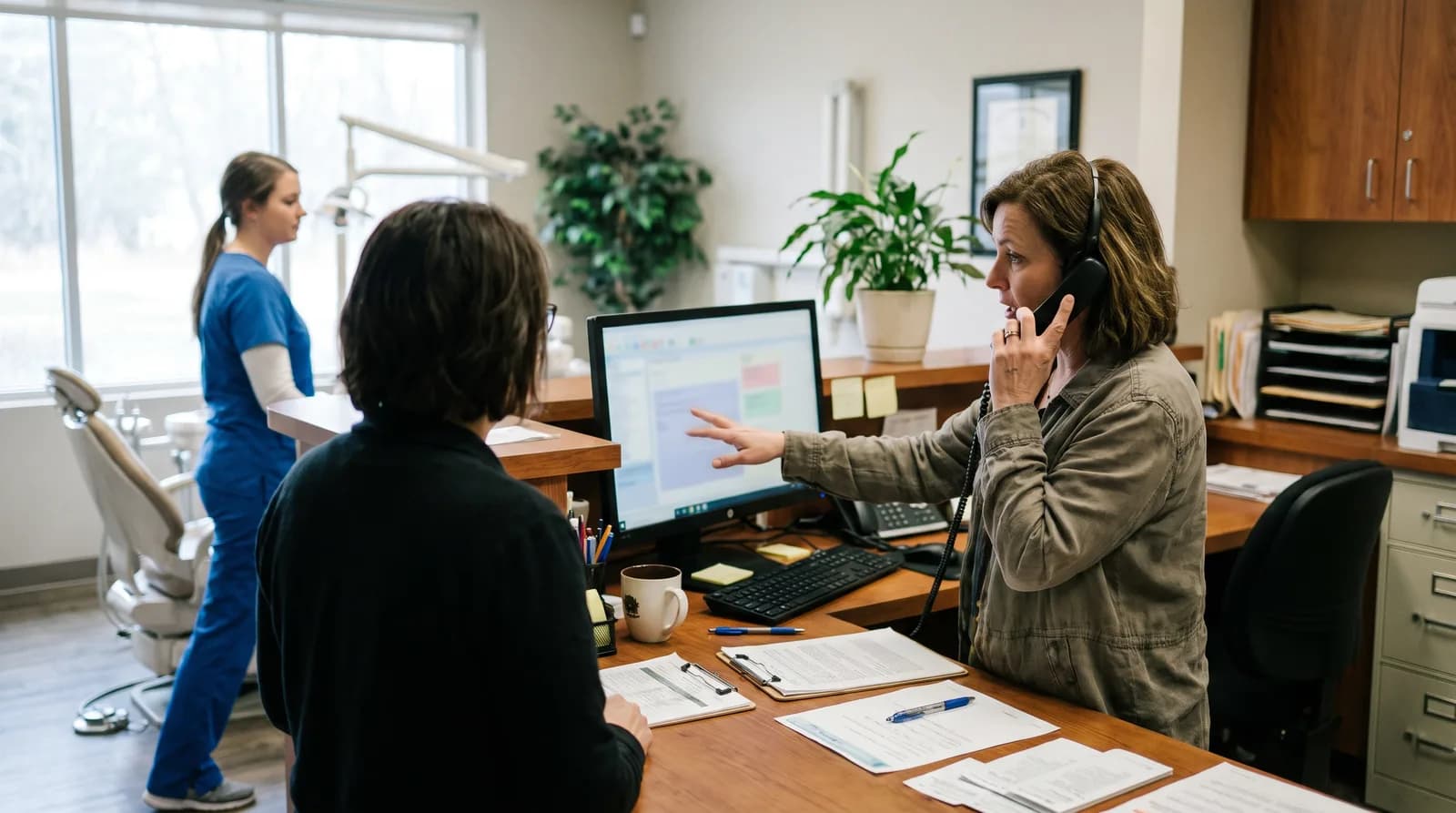
An AI receptionist dental office setup handles scheduling, insurance, intake, emergency triage, and after-hours calls. See which call types fit.
Share:
Table of contents
An AI receptionist for a dental office doesn't answer every call the same way. Some calls need a quick scheduling confirmation. Others need a warm handoff to your team. Knowing which calls AI can handle on its own, and which ones it shouldn't, is the difference between a tool that saves you time and one that frustrates your patients.
A midsized general practice can field 60 to 200 inbound calls a day, or roughly 300 to 500 a month. Patient visit volume has held steady in utilization tracking from the ADA Health Policy Institute, so that phone traffic is not easing up. That's a lot of ringing for a front desk team juggling check-ins, insurance forms, and chairside questions. This article breaks down the specific call types an AI receptionist can manage, where it needs human backup, and how to set expectations for your team and your patients. That patient-call volume does not include the separate stream of vendor and solicitation calls a practice also fields; see how how AI screens vendor and solicitation calls handles that side of the phone traffic.
This article works through the phones one call type at a time. For the wider picture, including software integration, pricing, and HIPAA, see this complete breakdown of AI dental receptionist duties.
Which Routine Scheduling Calls Can AI Handle Without Staff?
AI receptionists handle appointment booking, rescheduling, and cancellation calls without involving your front desk. These calls follow predictable patterns, which makes them ideal for automation: the patient states what they need, the system checks your calendar, and the booking is confirmed in seconds. From there, the confirmation message that goes out before the visit carries the appointment forward without another call from your team. If you want the wider context, here is why dental offices are adopting AI phone coverage in the first place.

Why Scheduling Calls Automate Cleanly
Scheduling calls make up the largest share of inbound volume for most dental offices. Scheduling is the single largest category of inbound calls. DenteMax reports that nearly 80% of the calls dental offices miss are appointment-related rather than general inquiries. In a practice taking 300 to 500 calls a month, that is the bulk of your phone traffic, and each booking takes a receptionist 2 to 4 minutes to process manually.
AI systems pull real-time availability from your practice management software. If you're running Dentrix, Open Dental, or Eaglesoft, the AI reads open slots across providers and operatories, then offers the patient options that actually work. No double-booking. No sticky notes. And when the call is done, the patient gets an SMS confirmation automatically. The same platform can work in reverse as well, driving AI-driven reactivation outreach that fills open slots with overdue patients instead of leaving them empty. Which provider that availability check lands on matters just as much as the open slot itself, and our breakdown of how to set dental provider scheduling preferences covers the rules that keep a qualified provider on the other end of every booked call.
When Your Front Desk Should Still Step In
Here's where it gets practical. Your front desk doesn't need to touch any of these calls unless the patient has a special request, like wanting two family members seen back-to-back in a specific time window. For standard single-patient bookings, AI carries the call from start to finish while your team stays with the patients in front of them.
Related: See how AI moves a call from first ring to confirmed booking → How an AI Dental Receptionist Works
How Does an AI Receptionist Handle Insurance and Billing Questions?
AI receptionists can confirm which insurance plans your office accepts, verify whether a patient's plan is on file, and answer basic questions about copays or payment options. These are lookup tasks, not judgment calls, and the system answers them accurately by referencing your stored data.
Which Insurance Questions AI Can Answer
Insurance-related calls account for roughly 15% to 20% of inbound call volume in practices that accept PPO and managed care plans. Most of these calls aren't complicated. Patients want to know: "Do you take Delta Dental?" or "What's my copay for a cleaning?" That's a data retrieval problem, and AI is very good at data retrieval.
Where the Handoff to Staff Belongs
The boundary matters, though. AI should confirm what's already in your system, not interpret benefits or negotiate with insurance carriers. If a patient calls asking why their crown was denied or wants to dispute a balance, that's a staff conversation. Good AI systems recognize these situations and route the call to a team member with context, so the patient doesn't have to repeat themselves.
Out-of-network questions fall into that same bucket. Explaining out-of-network coverage and cost estimates to a patient takes judgment the AI shouldn't be making alone, so those calls get routed the same way as a denied claim or a balance dispute.
This filtering alone saves your billing coordinator hours each week. Instead of fielding 10 calls about accepted plans, they handle the 2 that actually need their attention.
Since insurance and billing calls involve patient data, it is worth separately confirming whether your AI dental receptionist is HIPAA compliant before it fields these kinds of questions.
See How AI Supports Your Dental Front Desk
DentiVoice handles scheduling, insurance lookups, and new patient intake so your team can focus on complex cases.
Explore AI Receptionist Guides →Can AI Answer New Patient Calls and Capture Intake Information?
Yes, and new patient calls are one of the highest-value call types for AI to handle. An AI receptionist can greet new callers, collect demographics like name, date of birth, and insurance details, then send digital intake forms via text or email before the first visit.
Why New Patient Calls Carry the Most Revenue
New patient calls are where revenue starts. According to Dental Economics, the first-year production value of a new patient runs about $850 to $1,300, with lifetime value often reaching $8,000 to $10,000 or more. But here's the problem: these callers have zero loyalty to your practice. If nobody picks up, they call the next office on Google. Industry benchmarks put the share of calls dental practices miss during business hours at 30% to 38%, and most of those callers never leave a voicemail or try again.
AI changes that math. It answers on the first ring, every time. It collects the information your team needs, books the appointment, and sends the new patient paperwork digitally. By the time your front desk sees the notification, the patient is already on the schedule.
Why Tone Matters Most on a First Call
One thing to keep in mind: the tone matters more on new patient calls than any other type. The caller is evaluating your practice based on that first interaction. AI systems trained specifically for dental offices, not generic call answering bots, handle the conversational nuance much better. They know to ask about the patient's primary concern, not just process data like a form.
Related: Learn how practices are digitizing their entire intake process → AI Dental Intake Forms Explained
What Happens When a Patient Calls With a Dental Emergency?
AI receptionists can triage emergency calls by asking structured questions about the patient's symptoms, determining urgency based on predefined clinical protocols, and then routing the call appropriately. The AI doesn't diagnose anything. It sorts.
How the AI Sorts Urgency
Dental emergencies range widely. As the StatPearls clinical review notes, the ADA defines a true dental emergency as a potentially life-threatening condition needing immediate treatment to stop bleeding, control infection, or relieve severe discomfort. A chipped veneer is not the same as facial swelling and a fever. AI follows decision-tree logic: it asks about pain level, swelling, bleeding, and recent trauma, then categorizes the call as urgent (needs same-day attention), semi-urgent (should be seen within 24 to 48 hours), or informational (home care advice and a scheduled follow-up).
A well-configured emergency flow moves through four steps on every call:
- Collect symptoms. Discomfort level, swelling, bleeding, and any recent trauma.
- Classify urgency. Same-day, within 24 to 48 hours, or informational.
- Route the call. Live transfer to staff or the on-call provider during office hours.
- Document and notify. Log the details and text the on-call doctor with full context.
For urgent calls during office hours, the AI transfers directly to a staff member or the on-call provider. After hours, it can deliver pre-approved instructions, like advising the patient to go to the nearest ER for uncontrolled bleeding, while simultaneously texting the on-call doctor with the patient's details. The HIPAA Security Rule requires that any patient health information transmitted during this process is encrypted and handled through compliant channels.
Configuring Protocols With Your Clinical Team
This is one area where setup matters enormously. Your AI receptionist needs clear emergency protocols configured by your clinical team. Off-the-shelf settings won't cut it. But once those protocols are in place, the same triage questions get asked on every call, even at 4:45 PM with three lines ringing. Getting that setup right the first time is worth the extra care, and this step-by-step guide to implementing an AI receptionist in a dental office walks through the process end to end. Part of that setup is deciding, in writing, how many same-day emergency slots to reserve and what actually qualifies for one, before the AI ever answers a call. The script itself should sound reassuring as well as clinical, as explained in what an emergency caller needs to hear before triage questions begin.
Ready to See AI Call Handling in Action?
DentiVoice triages emergencies, books appointments, and captures new patient details around the clock.
See How Booking Integration Works →How Does an AI Receptionist Dental Office Handle After-Hours Calls?
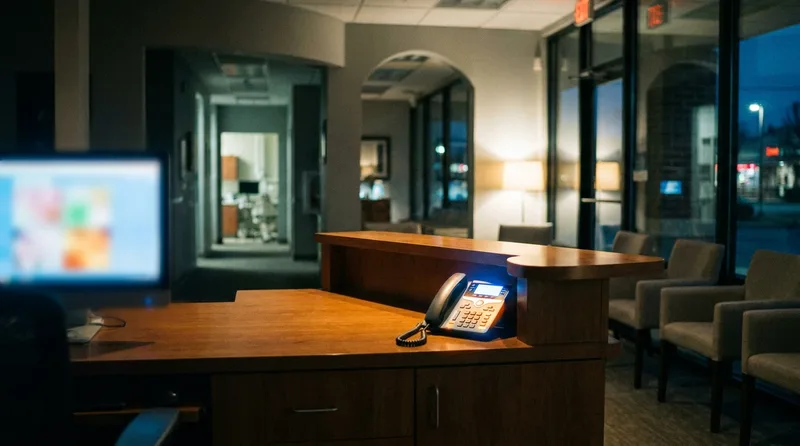
An AI receptionist dental office system answers after-hours calls, lunch-break calls, and overflow calls during peak volume without any staffing changes. Every call that would otherwise go to voicemail goes to AI instead, and the difference in conversion rates is significant.
For the numbers behind that conversion gap, this look at why after-hours dental calls matter more than practices assume breaks down what these callers are actually worth.
Getting every one of those calls to actually reach the AI depends on how the phone system and practice management software are wired together. How dental offices handle calls with VoIP and PMS integration covers that setup in detail.
Evening Callers Are Usually Booking, Not Reporting Emergencies
After-hours calls aren't just emergencies. A large portion of evening and weekend calls are patients trying to book routine appointments. They're browsing dentists at 9 PM, reading reviews, and calling the ones that look promising. If your office sends them to voicemail, most won't call back. Recovering even half of those missed calls delivers meaningful production gains and cuts front-office administrative workload by an estimated 30% to 50%, according to the same Dental Economics analysis. That reduction directly addresses one of the biggest burnout drivers, and this guide to reducing dental front office burnout lays out the full prevention approach.
Closing that evening gap starts with coverage that sorts calls instead of just recording them, and this guide to closing the evening coverage gap with AI reception walks through how practices set it up.
Covering Peak-Hour Overflow
Overflow is the other big win. Peak call times, typically 8 to 10 AM and 1 to 3 PM, overwhelm even well-staffed front desks. When your receptionist is on a 6-minute call with an insurance company and two more lines are ringing, those patients get voicemail or hold music. AI picks up the overflow instantly. No wait. No hold queue.
What the Missed-Call Math Looks Like
The math is straightforward. At a 35% miss rate on 300 to 500 monthly calls, a practice leaves 105 to 175 calls unanswered every month. If roughly 60% of those are new patient calls at $1,000 in first-year production each, the monthly leak runs well into five figures.
Related: Understand why those evening calls are more valuable than you think → Missed Call Text Back for Dental Practices
What Types of Calls Still Need a Human Receptionist?
AI shouldn't handle calls that require clinical judgment, emotional sensitivity, or multi-step problem solving across systems. These are the calls where a human touch isn't a luxury; it's a requirement for patient trust and accuracy. It is also why whether AI can fully replace dental receptionists has a clear answer: not fully.

Calls That Require a Human
Complex treatment discussions are the clearest example. A patient calling to understand the difference between a bridge and an implant, or asking whether their insurance will cover a specific procedure, needs a conversation with someone who can interpret clinical notes and insurance specifics in context. AI can answer "Do you accept MetLife?" but it can't walk through a treatment plan.
Emotionally charged calls also need human handling. A patient who's anxious, upset about a billing error, or dealing with dental fear doesn't want to talk to a machine. These interactions shape long-term loyalty, and they require empathy that AI can mimic but not deliver authentically. The same split is explored in what changed and what stayed the same at the dental front desk.
In practice, the calls that should always reach a person fall into a short list:
- Treatment planning conversations that depend on clinical notes
- Billing disputes, claim denials, and pre-authorization questions
- Anxious or upset callers who need reassurance before anything else
- Complaints that require a resolution, not just an escalation ticket
- Medically complex patients whose history changes the appointment
Not every non-patient call belongs in that human-only bucket, though. A candidate calling about a job posting doesn't need clinical judgment either, just accurate capture and a fast handoff to whoever is hiring, which is closer to a scheduling call than a treatment conversation.
A Clear Comparison
| Call Type | AI Can Handle | Needs Human |
|---|---|---|
| Appointment booking | Yes, fully automated | Only for complex multi-patient scheduling |
| Insurance verification | Plan confirmation, copay lookup | Claim disputes, pre-authorization |
| New patient intake | Demographics, form delivery, booking | Patients with complex medical histories |
| Emergency triage | Symptom collection, urgency routing | Clinical advice, diagnosis |
| After-hours calls | Booking, info requests, triage | Emergencies needing live clinical input |
| Treatment questions | General info ("What is a crown?") | Patient-specific treatment discussions |
| Complaints or concerns | Log and escalate | Resolution, empathy, follow-up |
The goal isn't to eliminate human phone interactions. It's to make sure your team only handles the calls that genuinely need them. When AI filters out the 60% to 70% of calls that are routine, your receptionist has the time and focus to handle the ones that build relationships and retain patients long-term. Drawing that line clearly is the whole exercise of deciding which front desk work belongs to AI and which belongs to your team.
Related: Get the full picture of how AI and human receptionists work together → How AI Hands a Call Back to Your Team
The Practical Takeaway for Your Practice
Most of the calls your dental office receives every day, scheduling, insurance checks, new patient registration, emergency triage, and after-hours requests, are calls an AI receptionist can handle right now. That's not a prediction. It's what practices using AI-powered phone systems are already seeing. The real question for any AI receptionist dental office setup isn't whether it can manage your call volume. It's how much longer your front desk can sustain the current pace without support. The technology is here, and it's already proving itself in thousands of practices across the country.
Once you know which calls the system is taking, the next question is how well it is taking them. This guide to measuring AI receptionist success across call and scheduling metrics gives the target ranges for resolution rate, scheduling accuracy, and emergency routing.
Start by auditing your call log for one week. Count how many calls fall into the categories above. You'll likely find that 60% or more are AI-ready today, and that your team's time is better spent on the remaining 40% that actually require a human conversation.
Before any of those calls reach the AI, confirm your vendor has signed the paperwork that makes handling them legal in the first place. See our checklist for the business associate agreement your AI receptionist vendor needs to sign.
Prescription questions sit in a similarly narrow lane: the safe way to handle a dental prescription refill call walks through exactly what the agent should capture and what it must leave to the dentist.
Related: Knowing what the agent can handle is half of it; the other half is catching the calls it books incorrectly. the four ways an AI receptionist books the wrong appointment type →
Stop Losing Patients to Missed Calls
DentiVoice answers every call, books appointments, and captures new patient details 24/7. Start by finding out how your current phone coverage performs.
Score Your Front Desk Calls →Booking is one of the most common call types an AI receptionist handles. For a closer look at how that booking step works end to end, see how AI receptionists book appointments directly into dental practice software.
Curious how this compares to a traditional answering service? See the side-by-side comparison of call handling, cost, and coverage.
How a vendor handles urgent calls is just one line item worth checking. See the full evaluation checklist for choosing dental AI receptionist software.
For a broader walkthrough of what separates a good fit from a bad one, this guide to choosing the right AI receptionist for your dental office covers the full evaluation criteria.
Knowing which calls it handles matters most during your busiest stretches of the day. See how dental call volume actually shifts throughout the day so overflow coverage lands where it counts.
Want to see what an AI receptionist actually does, step by step?
Introducing an AI Receptionist to Your Team →For the bigger picture: a full walkthrough from ringing phone to booked visit, where the line sits between what AI handles and what it doesn't, and the most common reasons patients call a dental office round out this topic.
Wondering which of these call types actually work with your current PMS? See exactly which call types an AI receptionist handles alongside Dentrix.
Frequently Asked Questions
Yes. AI receptionists connect to your practice management software, check real-time availability across providers and operatories, book the appointment, and send the patient an SMS confirmation. No staff involvement is needed for standard single-patient bookings.
AI follows pre-configured triage protocols. It asks about pain level, swelling, and bleeding, then categorizes the call by urgency. Urgent calls transfer to on-call staff or direct the patient to an ER. AI never provides clinical advice or diagnoses.
Most AI dental receptionists are designed to sound conversational and natural. Some practices disclose the AI upfront, while others let the interaction speak for itself. Disclosure practices vary by state and office preference.
AI can confirm which plans your office accepts, check if a patient's insurance is on file, and provide basic copay information. It can't interpret benefits, dispute claims, or handle pre-authorization requests, as those require human staff.
Yes. An AI receptionist answers around the clock, including evenings, weekends, holidays, and lunch breaks. Evening callers booking routine appointments are a large share of after-hours volume, and reaching a live system instead of voicemail keeps those patients from calling the next practice on their list.
Industry data suggests 60% to 70% of dental office calls are routine scheduling, insurance, or information requests that AI handles well. The remaining 30% to 40% involve clinical questions, complaints, or complex cases better suited for staff.
Reputable AI receptionist platforms use encrypted communication channels and sign Business Associate Agreements with dental practices. Always verify that any AI vendor meets HIPAA Security Rule requirements before sharing patient data.
Sources & References
- 1
- 2
- 3
- 4
- 5
Topics
Was this article helpful?
Written by
DentalBase Team
Expert dental industry content from the DentalBase team. We provide insights on practice management, marketing, compliance, and growth strategies for dental professionals.
